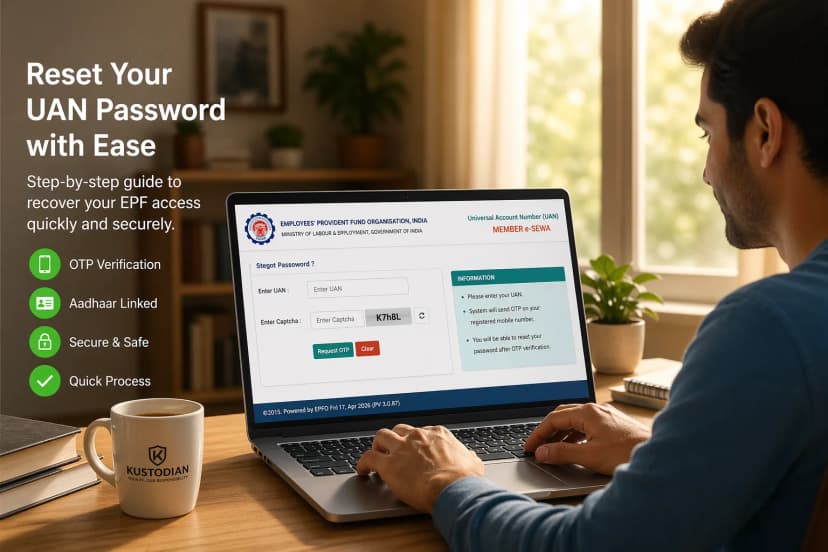
Managing your Universal Account Number (UAN) becomes frustrating when your registered mobile number stops working. Suddenly, OTPs don’t arrive, the EPFO portal refuses login, and even simple services like PF balance SMS alerts stop responding.
In most cases, this does not mean your UAN account is broken. The problem usually lies with the mobile number linked to your EPF account.
This 2026 guide explains how UAN mobile and SMS services actually work, how to check whether your number is linked, how to check PF balance using SMS, and when a UAN mobile number change becomes necessary.
Table of Contents
- My Mobile Number Isn’t Working With My UAN – The Real Frustration
- Why Your Mobile Number Is Critical for UAN Services
- Check: Is Your Mobile Number Linked With UAN Before a Mobile Number Change
- How to Check PF Balance Using SMS (2026 Method)
- UAN Activation via SMS – What Is Possible and What Is Not
- OTP Not Received on UAN – Top Reasons
- When You Need to Change Your UAN Mobile Number
- NRI and International Mobile Number Considerations for UAN
- Common Myths About UAN Mobile and SMS Services
- When Mobile or SMS Issues Indicate a Bigger UAN Problem
- When to Seek Help for UAN Mobile Issues
- Frequently Asked Questions (FAQs)
- Final Takeaway: Fix Mobile Linkage to Restore UAN Services
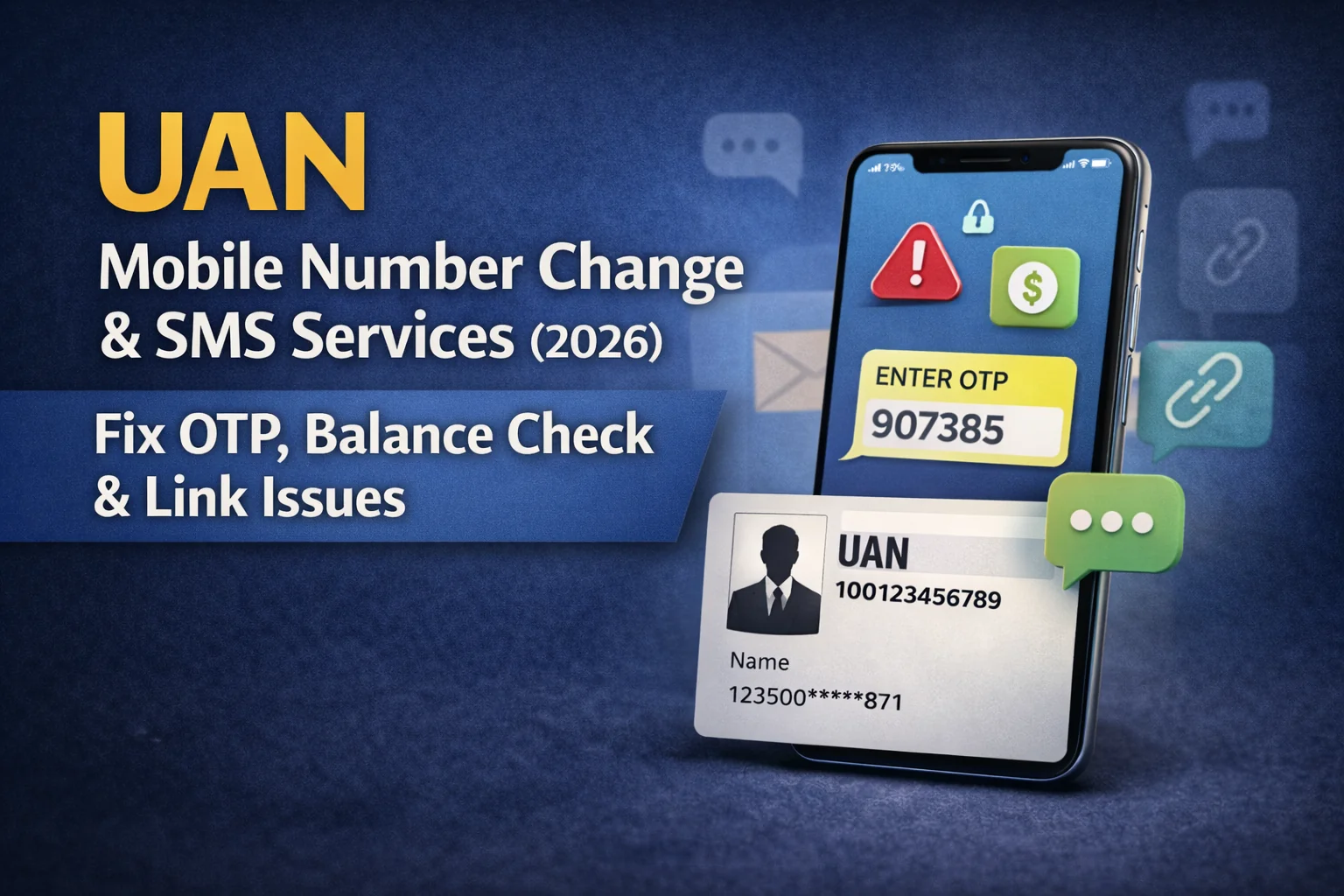
1. “My Mobile Number Isn’t Working With My UAN” - The Real Frustration
If OTP messages are not arriving or PF balance SMS is not responding, the issue is almost always the registered mobile number linked with your UAN, not the EPF account itself. Maybe your old number is inactive. Maybe the PF balance SMS isn’t working. Or the portal refuses login because your mobile number doesn’t match. It feels like your entire UAN account is broken.
Here’s the reassurance most people need to hear:
Most UAN mobile issues are linkage problems, not account problems.
In 2026, almost every UAN service depends on your registered mobile number. When that number is outdated, inactive, or incorrectly linked, everything from OTP to SMS balance checks appears “not working.”
This page focuses only on mobile & SMS–based help, including how to register mobile number with UAN, understand UAN mobile number change, check PF balance by SMS, and what to do if your UAN mobile number is not linked. It does not cover full activation corrections or profile edits.
2. Why Mobile Number Is Critical for UAN
In 2026, almost every EPFO service from login verification to claim approval depends on the mobile number linked with your UAN.
Your mobile number is not just a contact detail. With the Employees' Provident Fund Organisation (EPFO), it acts as an important identity and authentication layer for your UAN account. Almost every major service connected to UAN relies on the registered mobile number to verify that the request is coming from the actual account holder.
Whenever you request an OTP, log in to the UAN member portal, use the UMANG app, check your PF balance through SMS, or approve KYC updates, the system verifies your identity through the mobile number linked with your UAN. This process helps ensure that only the rightful account holder can access or make changes to the account.
If the registered mobile number is incorrect, inactive, or not linked properly, the system cannot complete this verification. In such situations, the account itself may still be valid and active, but access to services becomes restricted because authentication cannot be completed.
As a result, many users assume their UAN is invalid or malfunctioning, when in reality the issue is simply that the mobile number on record is outdated or incorrect. When the mobile number is wrong or inactive, UAN services may appear “broken” even though the account itself is perfectly fine.
3. Check: Is Your Mobile Number Linked With UAN Before a Mobile Number Change
Before attempting a UAN mobile number change, first confirm whether your mobile is actually linked.
Signs Your Mobile Number Is Linked
If you receive OTPs successfully while logging in, or get periodic SMS alerts about contributions and claims, your mobile number is already registered with UAN.
PF balance SMS working is also a strong indicator that the linkage is active.
Signs Your UAN Mobile Number Is Not Linked
You may be facing a linkage issue if:
- OTP never arrives
- UMANG login fails
- SMS balance check does not respond
- Portal shows mobile mismatch
This usually indicates either:
- An old number is still linked
- The employer registered an incorrect number
- The number was deactivated by the telecom
- Linkage was never completed properly
Important clarification:
This page checks and explains mobile linkage issues - actual linking steps are handled on the EPFO portal or UMANG app. If your UAN mobile number is not linked, services like SMS balance enquiry will not function.
Aadhaar-UAN linking in 2026, is now easier and efficient than ever before.
If your UAN is still inactive, learn how to activate your UAN through EPFO Portal and Umang.
4. PF Balance Check Using SMS (2026 Method)
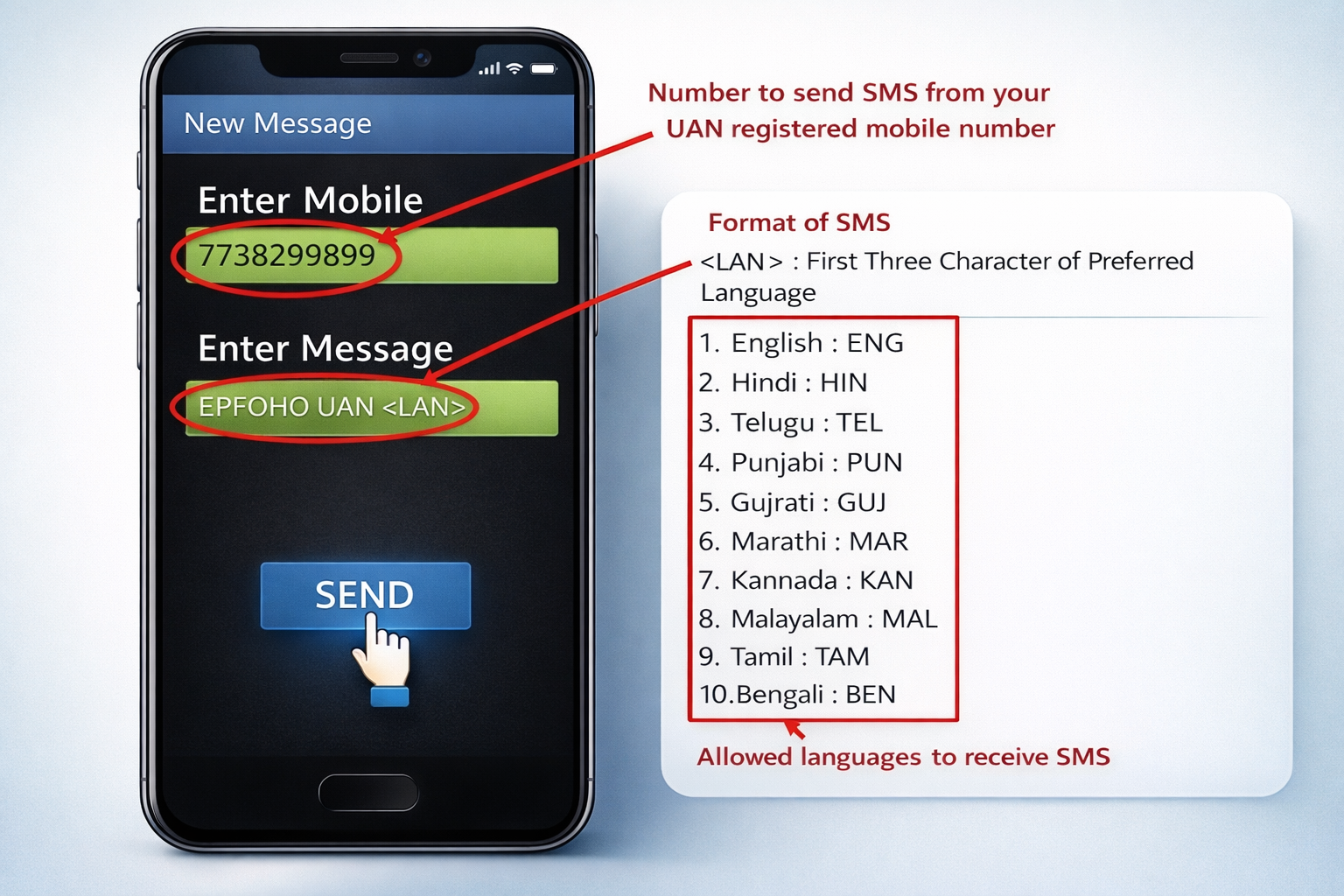
Official EPFO SMS Format
To check your PF balance by SMS in 2026:
Send an SMS in the following format:
Send it to the official EPFO SMS number. (7738299899)
You can replace “ENG” with your preferred language code (such as HIN, TAM, TEL, MAR, etc.).
What Information Do You Receive
Within a few moments (subject to telecom and backend load), you typically receive:
- Employee contribution balance
- Employer contribution balance
- Pension contribution details
- Last credited contribution
This is ideal for a quick PF balance check with UAN by SMS.
However, understand the limitation:
SMS balance works for quick checks - not for detailed passbook statements.
For transaction-level details, the EPFO passbook portal is required.
Also note that SMS services may face delays during maintenance windows or high-traffic periods.
If you are still confused, read this detailed guide on Check EPF Balance Without UAN (2026): SMS, Missed Call
5. UAN Activation via SMS: What Is Possible and What Is Not
One of the most searched phrases in 2026 is “UAN activation via SMS.” Let’s clarify this carefully.
What SMS Can Do
SMS supports:
- PF balance enquiry
- Account alerts
- Contribution updates
What SMS Cannot Do
SMS cannot fully activate UAN.
Full activation requires identity verification, OTP validation, and credential creation through:
- EPFO Member Portal
- UMANG application
Here’s the clear line:
There is no complete “UAN activation via SMS” - SMS only supports limited services.
If someone claims activation can be done purely through SMS, that information is outdated or incorrect.
If you are facing issues in UAN activation, follow this specialized guide: UAN Activation & Multiple UANs: Common EPF Problems and How to Fix Them (2026 Guide)
6. OTP Not Received - Top Reasons
OTP failures are the most common UAN complaint in 2026, but they rarely mean the account is invalid. Before assuming something serious, consider the likely causes such as telecom or network problems, mobile number mismatch, or EPFO Server issues.
Telecom or Network-Related SMS Issues
OTP issues with UAN are quite common and are often caused by temporary telecom or system-related factors rather than problems with the account itself. For instance, DND (Do Not Disturb) settings on your mobile number may block certain transactional messages, including OTPs.
Similarly, network congestion or weak signal coverage can delay SMS delivery. If you have recently ported your number to another telecom provider, SMS routing may take some time to stabilize, which can also affect OTP delivery during that period.
Mobile Number Mismatch With UAN
Another frequent reason is a mobile number mismatch. The number currently linked with your UAN in the Employees' Provident Fund Organisation (EPFO) database may not be the number you are currently using. When this happens, OTP messages continue to be sent to the older registered number, preventing you from completing login or verification steps.
Temporary EPFO Server Delays
Sometimes the issue occurs because of heavy system traffic or backend maintenance on EPFO servers. During these periods, OTP messages may be delayed or temporarily unavailable. These delays are usually short and services typically resume once system load stabilizes.
OTP Failure Does Not Mean Your UAN Is Invalid
It is important not to assume that OTP failure means your UAN is invalid or deactivated. In most cases, the issue simply points to SMS delivery problems or incorrect mobile linkage, not account cancellation.
Changing your SIM card does not deactivate your UAN. Only the number stored in EPFO records matters. If your old number is totally inactive, sim lost, employer has registered incorrect number, changed number after moving aborad or if OTP cant be received at all.
When You Must Update Your Number
You should update your mobile number if:
- Your old number is permanently inactive
- You lost your SIM
- Employer registered incorrect number
- You moved abroad and changed number
- You cannot receive OTP at all
However, understand this boundary clearly:
Actual mobile number change cannot be done via SMS.
It requires authentication via the EPFO portal or UMANG, along with OTP validation (either old number or alternative verification methods).
Simply changing your SIM does not deactivate your UAN. The system only cares about the number recorded in EPFO’s database.
8. NRI & International Mobile Number Considerations
For NRIs, mobile-related UAN problems are extremely common.
Why NRIs Face OTP Issues
International telecom networks may delay or block Indian OTP routes. Some countries filter short-code SMS. Time-zone differences can also impact OTP expiry before delivery.
It’s important to understand:
International users often face telecom issues - not EPFO rejection.
If you are abroad and SMS OTP is inconsistent, you may need to:
- Ensure international SMS is enabled
- Use an Indian number linked to UAN
- Update to a reachable number via official channels
SMS PF balance services may not function reliably outside India depending on the telecom operator.
9. 3 Common Myths About UAN Mobile & SMS
Mobile-related confusion creates several myths. There are myths such as UAN works without a mobile, SMS can fix name or DOB, or changing sim breaks UAN. Let's see these and clear our understanding.
Myth 1: “UAN Works Without Mobile”
Technically, a Universal Account Number (UAN) exists even if no mobile number is linked. However, in practical terms, most services become difficult to access without a registered number. Important actions such as OTP verification, portal login authentication, claim updates, and SMS balance enquiries all depend on the mobile number linked with the Employees' Provident Fund Organisation (EPFO) system. Without a valid mobile number, the account may still exist, but using its services becomes extremely limited.
Myth 2: “SMS Can Fix Name or DOB”
Some people believe that sending an SMS request can correct personal details like name, date of birth, or KYC information. In reality, SMS services are meant only for simple functions such as PF balance enquiries or contribution alerts. Any corrections to personal details must go through proper verification on the EPFO portal or through employer-supported updates, where documents are validated before changes are approved.
Myth 3: “Changing SIM Breaks UAN Forever”
Changing your SIM card or switching telecom providers does not cancel or damage your UAN. The account remains permanently assigned to you. The only requirement is that the EPFO database must contain a mobile number that you can access for OTP verification. If your old number becomes inactive, you simply need to update your new number through the official portal.
Correct framing: Your mobile number linked with UAN is not permanent and can be updated when needed. However, these changes must be done through official EPFO channels rather than SMS commands.
10. When Mobile/SMS Issues Indicate a Bigger Problem
Sometimes, repeated mobile failures hint at deeper record issues. If there are issues like no sms response, multiple UANs linked to different numbers, or employer updated wrong demographic data, then is not a simple one and may require employer intervention and document validation.
Red Flags to Watch
If you notice:
- No SMS response + portal shows mismatch
- Multiple UANs linked to different numbers
- Employer updated wrong demographic data
- Aadhaar and UAN details don’t align
Then the issue may not be limited to mobile linkage.
In such cases:
If mobile issues persist across channels, record correction may be required.
This often involves employer coordination or document validation through EPFO systems.
11. When to Get Help
Most UAN mobile issues are simple linkage problems and can usually be resolved by updating the correct mobile number in the Employees' Provident Fund Organisation (EPFO) system. However, some situations may require additional assistance, especially when the issue persists despite multiple attempts to resolve it.
For example, if OTP failures continue for several weeks, it may indicate that the mobile number linked with your UAN is incorrect or inactive. Similarly, problems can arise when the old registered mobile number is no longer accessible, making it difficult to complete OTP verification. Employees working abroad may also face issues because international telecom networks sometimes delay or block OTP messages from Indian systems.
In certain cases, the problem may not be related to the mobile number alone. Employer record errors or the existence of multiple UANs can also cause mobile verification failures or SMS services to stop working. In such situations, identifying the real cause of the issue is important.
Professional guidance can help determine whether the problem is related to telecom delivery, mobile linkage, UAN authentication, or employer records. Understanding the exact issue helps resolve the problem faster and prevents unnecessary confusion.
How Kustodian Can Help
If your UAN services are blocked due to mobile number issues, Kustodian can help identify the root cause. Whether the problem is OTP failures, an inactive registered number, or employer record mismatches, our team helps determine whether it’s a mobile linkage issue, UAN authentication problem, or record correction requirement. This guidance helps you resolve the issue faster and restore access to your EPFO services without unnecessary delays.
12. FAQs
Can I activate UAN using SMS?
No. UAN activation cannot be completed using SMS alone. SMS services provided by the Employees' Provident Fund Organisation (EPFO) are designed mainly for quick information services such as PF balance enquiries and contribution alerts. To activate your UAN, you must use the EPFO Member Portal or the UMANG app where identity verification and OTP validation are completed.
Why is PF balance SMS not working?
The most common reason is that your mobile number is not linked with your UAN in the EPFO database. SMS services generally work when the UAN is active and linked with a registered mobile number. In other cases, temporary telecom network issues, DND settings on your phone, or EPFO system maintenance may delay or prevent SMS delivery. If the problem persists across multiple attempts, checking whether your number is properly linked with your UAN is recommended.
Does SMS work if the mobile number is not linked with UAN?
No. SMS services will not function if the mobile number used to send the message is not the same number registered with your UAN. The system verifies the sender’s number before processing balance enquiries or sending alerts. If your number is not linked, the SMS request may simply fail or you may not receive any response.
Can NRIs use SMS to check PF balance?
NRIs can sometimes use SMS services if their registered mobile number is active and able to send messages to Indian short codes. However, SMS delivery outside India can be inconsistent depending on telecom routing, international SMS permissions, and network filtering in some countries. Because of this, many NRIs prefer using the EPFO portal or mobile apps for checking PF balance.
Will changing my SIM deactivate my UAN?
No. Changing your SIM card does not deactivate or cancel your UAN. Your UAN remains permanently assigned to you. However, if the mobile number associated with your UAN becomes inactive or you switch to a new number, you will need to update the registered mobile number through official EPFO channels to continue receiving OTPs and SMS alerts.
Can I register a mobile number with UAN without an employer?
Yes, in many cases you can link your mobile number during UAN activation or through the EPFO portal after identity verification. However, your employer typically plays a role in creating and linking your UAN when you first join a job. If your mobile number was not registered earlier, you may need to update it through the portal or through employer-supported verification.
How long does it take for the SMS balance enquiry to respond?
In most cases, the PF balance SMS reply arrives within a few seconds or minutes. However, response time depends on telecom networks and EPFO system availability. During peak usage periods or maintenance windows, responses may take longer or may not arrive immediately.
Can I check the PF balance by SMS without activating UAN?
Generally, SMS services work only when the UAN is already activated and linked with a mobile number. If the UAN is not activated, the system may not recognize the request or may not send a response. Activating your UAN ensures that the mobile number and identity verification process are completed.
What should I do if the OTP is not coming to my registered mobile number?
If OTP messages are not arriving, first ensure your phone has network connectivity and that SMS services are not blocked by DND settings. Sometimes restarting the phone or waiting a few minutes before retrying helps. If OTP failures continue repeatedly, it may indicate that the mobile number linked with UAN is incorrect or inactive, and updating the number through the EPFO portal may be necessary.
Can I receive PF alerts on more than one mobile number?
No. EPFO systems usually allow only one mobile number to be linked with a UAN at a time. This number is used for authentication, OTP verification, and SMS alerts. If you want to receive alerts on a different number, you will need to update the registered mobile number through official channels.
What happens if my employer registered the wrong mobile number with UAN?
If the wrong number was initially linked by your employer, you can usually correct it through the EPFO portal during login verification or by initiating a mobile number update process. In some cases, employer confirmation or identity verification may be required to ensure the change is legitimate.
Is there any charge for checking the PF balance through SMS?
EPFO does not typically charge for the SMS enquiry service itself, but your telecom operator may charge a standard SMS fee depending on your mobile plan. The cost is usually minimal and similar to sending a regular text message.
Final Takeaway (2026 Update)
If your UAN OTP is not coming, PF balance SMS is not working, or your login keeps failing, the issue is rarely your account.
In most cases, the mobile number linked with your UAN is outdated or incorrect.
Once the mobile linkage is corrected, services like OTP verification, SMS balance enquiry, and portal login usually start working again.
Fix the number and your UAN services will work normally.
Disclaimer: This article is for informational purposes only and does not constitute legal or financial advice. Rules may vary based on individual records and EPFO processing.