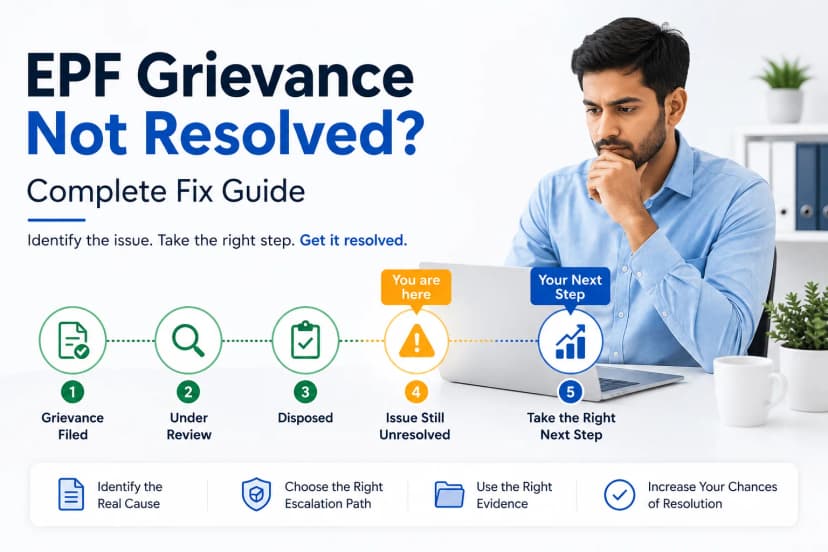
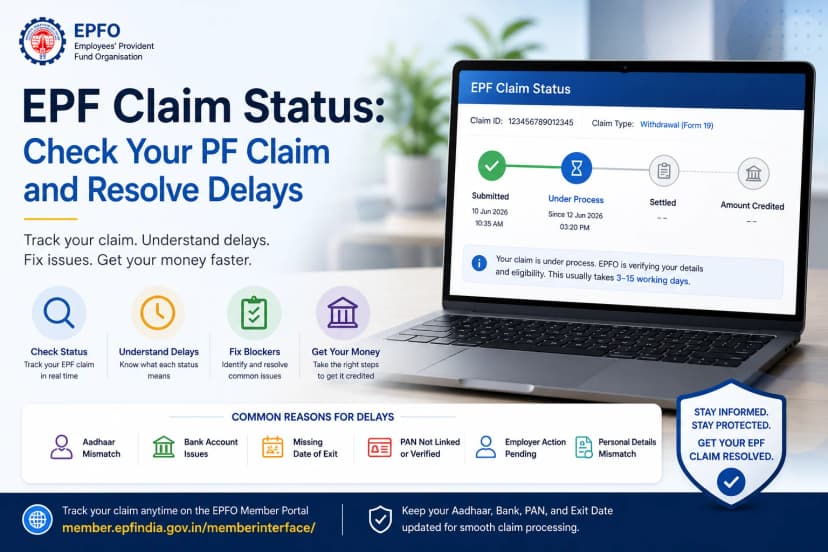
Unexpected expenses can place immense pressure on even the most carefully planned finances. Whether it’s a medical emergency, a child’s education, a home purchase, or an urgent family responsibility, the need for funds can arise without warning. In such moments, many employees hesitate to touch their Provident Fund savings, fearing that doing so might require resignation or harm their long-term retirement security.
This is exactly where EPF Form 31 plays an important role. Designed as a partial withdrawal facility, Form 31 allows you to access a portion of your PF balance while continuing your employment without closing your account or disturbing your pension continuity under EPS. It is not a loan, and there is no repayment obligation; it is simply structured access to your own savings during genuine need.
In this guide, we break down who is eligible, the approved reasons for advance, withdrawal limits, online and offline application methods, common mistakes that delay claims, and realistic processing timelines.
Table Of Contents
- What Is EPF Form 31?
- EPF Advance vs Final Withdrawal
- Allowed Reasons for EPF Advance (Form 31)
- Eligibility Rules and Withdrawal Limits
- How Much PF Can Be Withdrawn Using Form 31?
- Applying Online: High-Level Walkthrough
- Offline Guide: How to Apply for PF Advance (Form 31)
- Common Mistakes That Delay Form 31 Claims
- How Long Does Form 31 Take to Process?
- Frequently Asked Questions
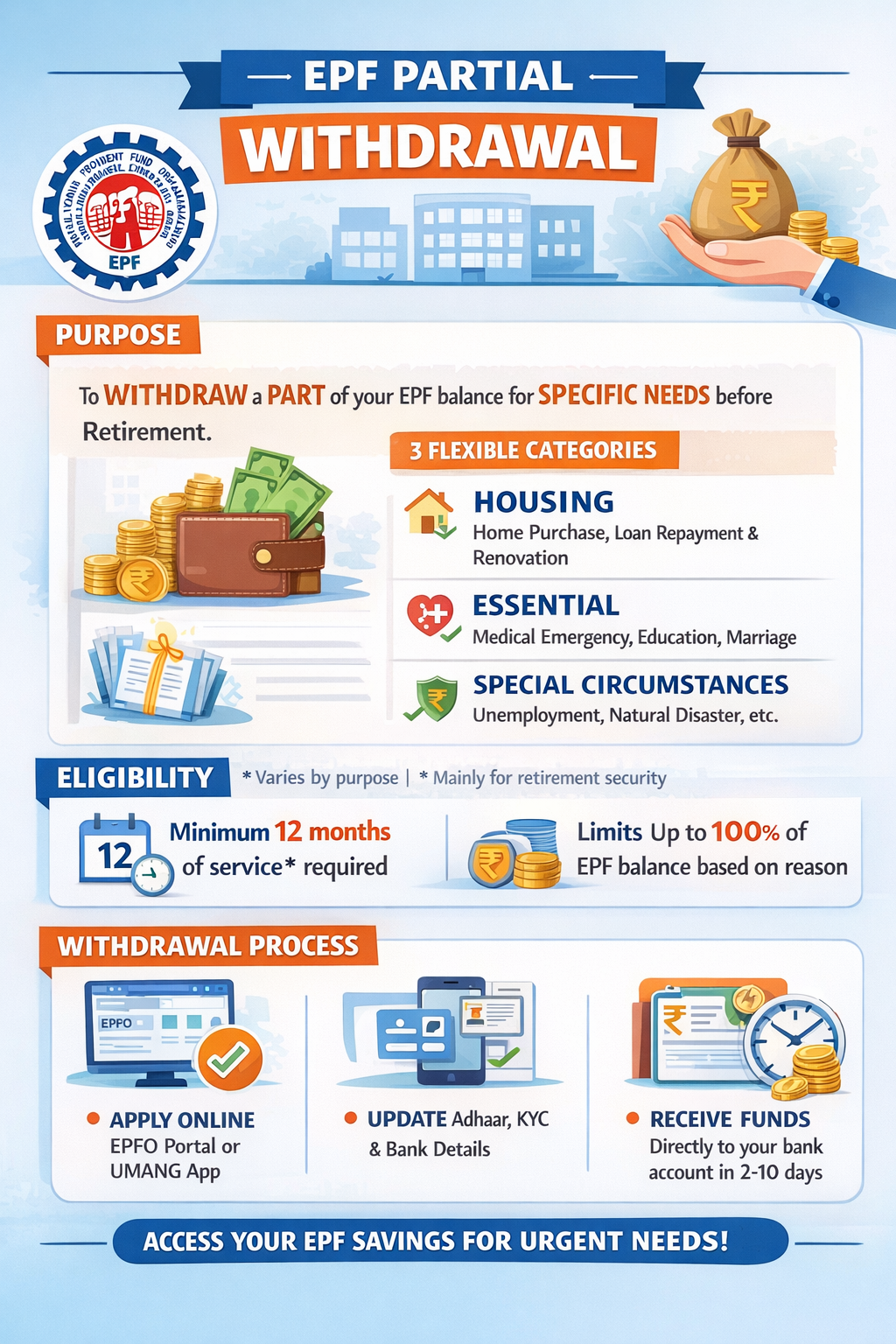
EPF Form 31 is used to withdraw a portion of your PF balance while you are still employed. This is called a PF advance.
Why It Matters
- It provides financial support during life events.
- It does not close your PF account.
- It does not affect your pension eligibility
Important: EPF advances are not loans. There is no repayment or interest.
Learn how to calculate your actual withdrawable PF amount before applying.
Many people confuse Form 31 with final settlement forms.
| Feature | Form 31 (Advance) | Final Withdrawal |
| Employment | Ongoing | Ended |
| Purpose | Emergency / planned needs | Exit/retirement |
| Pension impact | No | Depends on the service |
| Rejoin EPF later | Not applicable | Yes |
This distinction helps you choose correctly.
EPFO allows advances only for specific, documented reasons.
Commonly Allowed Reasons
- Medical treatment (self or family)
- Home purchase or construction
- Home loan repayment
- Higher education
- Marriage (self/children/siblings)
- Natural calamity
- Lockout or layoff
If your employment has ended, read our complete Form 19 and Form 10C guides instead of filing Form 31.
Each reason has its own rules.
| Reason | Minimum Service | Maximum Amount |
| Medical | None | Up to 6 months’ wages or employee share |
| Education | 7 years | Up to 50% of employee share |
| Marriage | 7 years | Up to 50% of employee share |
| Home purchase | 5 years | Up to 90% of the PF balance |
| Home loan repayment | 10 years | Up to 90% of the PF balance |
Note: Limits may vary slightly based on EPFO circulars and individual records.
The withdrawable amount depends on:
- Your reason for advance
- Length of service
- PF balance available
The EPFO portal automatically calculates the eligible amount once you select the reason.
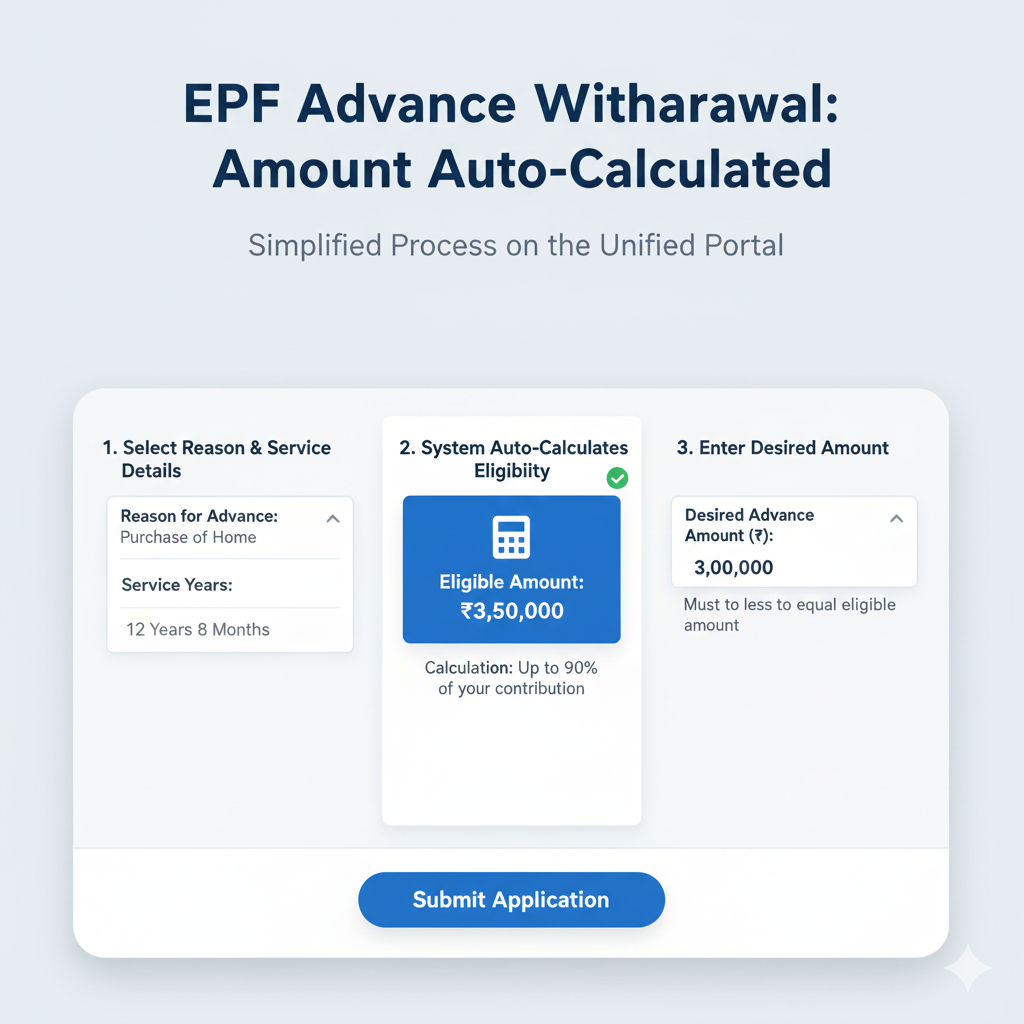
Most Form 31 claims are now filed online.
Broad steps include:
- Log in to the EPFO Member Portal or UMANG
- Verify Aadhaar-linked details
- Select “PF Advance (Form 31)”
- Choose a reason and submit a claim.
Note: Detailed step-by-step screenshots are covered in our dedicated filing guide.
Facing login problems? See our EPF portal troubleshooting guide.
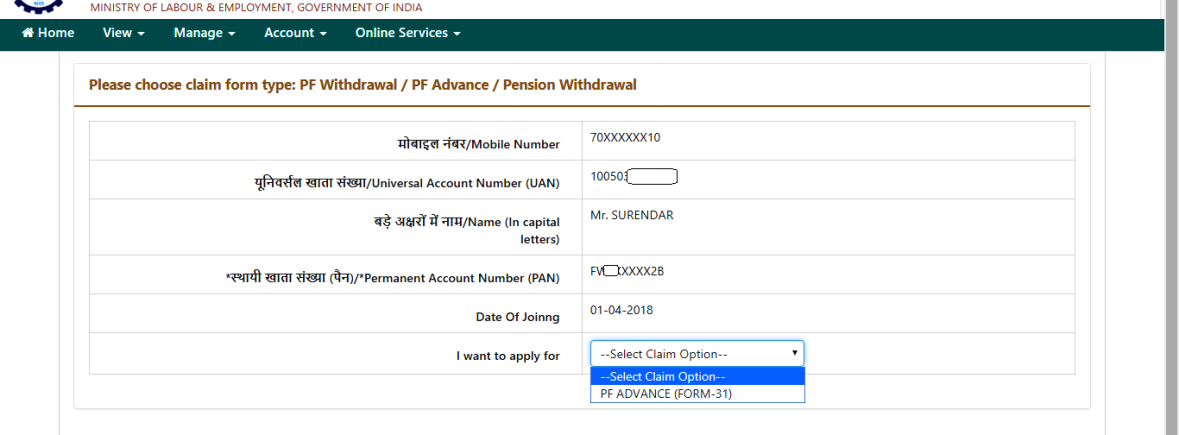
Tech glitches happen. If the UAN portal is down or your mobile number is lost, you can still access your money using the traditional offline method. It takes a bit longer, but it is a reliable backup.
Here is the quick guide to applying for a PF Advance (Form 31) manually.
1. Choose the Right Form
The old "Form 31" is now called the Composite Claim Form. There are two versions:
- Composite Claim Form (Aadhaar): Use this if your Aadhaar and Bank are linked to your UAN.
- Composite Claim Form (Non-Aadhaar): Use this if your details are not linked.
2. The 4-Step Application Process
- Download & Fill: Get the form from the EPFO website or a local stationery shop. Tick "PF Advance", select your reason (Illness, Housing, etc.), and enter the amount.
- Attach Proof (Crucial): Staple a cancelled cheque to the form.
- Get Signatures: Sign the form yourself. If using the Non-Aadhaar version, get your employer's stamp.
- Submit: Drop the form at your Regional EPFO Office (look for the "Claims Drop Box") or send it via India Post Speed Post to the Regional Commissioner.
Sample Scenarios to Build Confidence
Scenario 1: Medical Emergency
An employee with 2 years of service can apply immediately for medical expenses without waiting.
Scenario 2: Child’s Higher Education
Requires a minimum of 7 years of service. Only the employee's share is considered.
Scenario 3: Home Purchase
Requires longer service and comes with higher withdrawal limits.
4 Common mistakes delay your process for a successful Form 31 Claims. These include selecting the wrong reason, bank IFSC mismatch, Aadhar name mismatch, and insufficient service period.
Each "Para" or reason for advance (such as illness, marriage, or house construction) has specific eligibility rules and maximum withdrawal limits. If you select "House Construction" but haven't completed the required five years of service, the system will automatically reject the claim. It is crucial to choose a reason that matches both your financial need and your service tenure.
2. Bank IFSC Mismatch
A very common reason for delay is an outdated IFSC code, often occurring after bank mergers. If the IFSC in your EPFO records does not match the current records of your bank, the electronic transfer will fail. Always ensure your bank KYC is updated with a digital copy of a cancelled cheque that clearly shows your name and the current IFSC.
3. Aadhaar Name Mismatch
The EPFO portal uses strict Aadhaar-based authentication. If your name on the PF account has even a minor spelling difference, a missing initial, or an extra space compared to your Aadhaar card, the "Identity Verification" will fail. This mismatch prevents the claim from even reaching the processing stage.
4. Insufficient Service Period
Certain advances are only available after you have been a member for a specific number of years - typically 5 to 7 years for major expenses like home purchases or education. Attempting to withdraw for these reasons before meeting the minimum service duration will result in an instant rejection. Always check your total service history in your passbook before filing.
Before reapplying, a quick eligibility check can prevent repeat rejections.
Click to know about fixing errors.
| Stage | Typical Timeline |
| Submission | Day 0 |
| Verification | 5–10 working days |
| Credit to the bank | Within 15 working days |
Delays are usually data-related rather than approval-related.
When Waiting Is Normal and When to Act
Waiting for a few days is expected. However, follow-up may be needed if:
- The status has remained unchanged for over three weeks.
- Employer verification is pending.
Safe escalation channels exist and should be used calmly.
Useful Links & Official Resources
EPFO Official Portals
- EPFO Unified Member Portal (UAN Login)https://unifiedportal-mem.epfindia.gov.in/memberinterface/Log in using your UAN to apply for PF Advance (Form 31), update KYC details, check your service history, and track claim status.
- EPFO Official Websitehttps://www.epfindia.gov.inThe primary source for EPF policies, official circulars, and updates related to provident fund withdrawals and pension rules.
- EPFO Passbook Portalhttps://passbook.epfindia.gov.inView your PF contributions, employer deposits, and total balance before applying for a PF advance.
- UMANG App – EPFO Serviceshttps://web.umang.gov.inAccess EPF services on your mobile, including PF advance claims, passbook viewing, and claim tracking.
EPF Forms and Scheme Documents
- Download EPF Claim Forms (Form 31, Form 19, Form 10C, Form 10D)https://www.epfindia.gov.in/site_en/Forms.phpOfficial EPFO page to download claim forms for PF advances, final settlement, and pension claims.
- Employees’ Pension Scheme (EPS) Guidelineshttps://www.epfindia.gov.in/site_docs/PDFs/Schemes/EPS95_update.pdfOfficial documentation explaining pension eligibility, service continuity, and EPS withdrawal rules.
EPF Claim Support & Grievance Resolution
- EPFO Grievance Portal (EPFiGMS)https://epfigms.gov.inRaise complaints related to delayed PF claims, rejected Form 31 requests, or employer verification issues.
- EPFO Regional Office Directoryhttps://www.epfindia.gov.in/site_en/Contact_us.phpLocate your nearest EPFO office for offline claim submission or assistance with PF advances.
Identity & Verification Services
- Aadhaar Services Portal (UIDAI)https://uidai.gov.inVerify or update Aadhaar details used for EPF KYC authentication.
- Income Tax Department – PAN Serviceshttps://www.incometax.gov.inManage PAN verification and tax records related to PF withdrawals.
Is Form 31 a loan?
No. It is a partial withdrawal from your own PF savings. There is no repayment obligation.
Does Form 31 affect pension eligibility?
No. The EPS service continues without interruption. Form 31 does not reduce pension years.
Can I apply for Form 31 multiple times?
Yes, if you meet eligibility conditions each time. Limits vary based on reason and service length.
Is employer approval required for Form 31?
Not always, especially for Aadhaar-linked claims. Some cases still need employer verification.
What if my Form 31 claim is rejected?
Most rejections are due to KYC or data mismatches. These can usually be corrected and resubmitted.
What reasons are allowed under Form 31?
Medical needs, housing, education, marriage, and emergencies. Each reason has specific rules and limits.
How much can I withdraw using Form 31?
The limit depends on the purpose and your PF balance. EPFO caps withdrawals to protect long-term savings.
How long does a Form 31 settlement take?
Typically, 7–15 working days for online claims. Delays may occur if verification is pending.
Can I apply for Form 31 while still employed?
Yes, Form 31 is meant for in-service withdrawals. Employment continuity is not affected.
Does Aadhaar linking matter for Form 31?
Yes. Aadhaar-linked claims are processed faster. Non-linked claims may require manual approval.
Conclusion: Using EPF Form 31 With Clarity and Confidence
EPF Form 31 exists for moments when life needs financial support without forcing you to quit your job or disturb long-term savings. Whether it’s a medical emergency, education expense, or housing need, the system is designed to help if the right reason and details are provided.
Most delays or rejections don’t happen because a person is ineligible. They happen due to small mismatches in service length, misunderstanding, incorrect reason selected, or bank and Aadhaar details not aligning. Taking a few minutes to understand eligibility before filing can save weeks of waiting and stress.
If you’re unsure, it’s always better to pause, review your PF balance and service history, and then proceed calmly rather than rushing into a claim that may get delayed.
Before submitting Form 31, checking your eligibility, service years, and withdrawal limits once can make the entire process smoother and faster.
Disclaimer: This article is for informational purposes only and does not constitute legal or financial advice. EPFO rules and processing timelines may vary based on individual records.