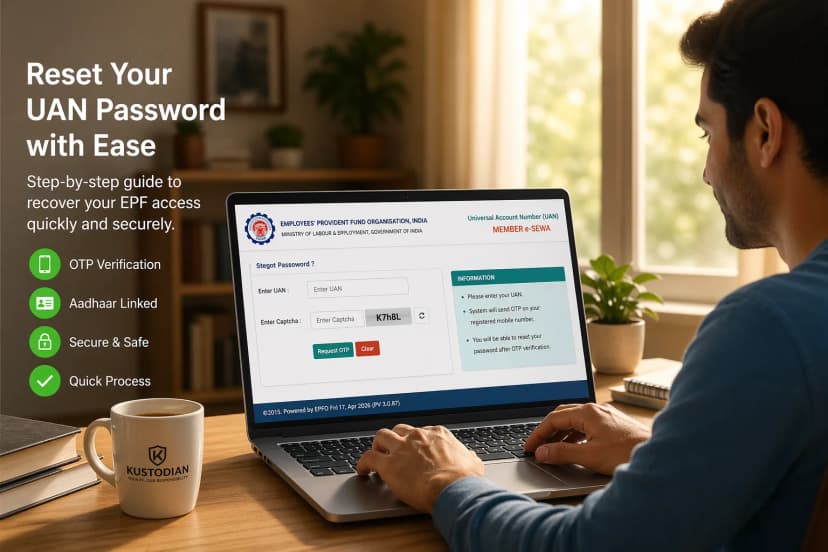
You followed the steps. You entered your UAN. You waited for the OTP. And still—nothing works.
Most users get stuck here for days, trying the same reset again and again. At this point, it’s easy to assume the portal is simply "down." In reality, the system is often functioning perfectly—it is intentionally blocking your request because it cannot verify your identity across the "Data Wall" between the Employees' Provident Fund Organisation (EPFO) and UIDAI (Aadhaar).
If you are currently locked out, this guide identifies exactly why the portal is failing you and how to override it.
What Does "UAN Password Reset Not Working" Actually Mean?
When you see a failure message, it means the Employees' Provident Fund Organisation system is unable to verify your details against UIDAI records.
Essentially, the portal has detected a mismatch between your PF account and your biometric ID. To protect your retirement savings, the system defaults to a "Block" state. You aren't just facing a technical glitch; you are facing a security-cleared identity conflict.
Prerequisites for Success (The Failure Check)
Before attempting another reset and risking a 24-hour account lock, verify these three pillars. If even one is missing, the reset tool will almost always fail.
| Requirement | If Missing, You Will See: | Immediate Fix |
| Activated UAN | "UAN not active" Error | Use the "Activate UAN" link first. |
| Aadhaar Seeded | "Invalid Details" or Mismatch | Link Aadhaar via the Member Portal. |
| Aadhaar Mobile | No OTP Received | Check your linked number on the UIDAI portal. |
Diagnostic: Reset Works vs. Reset Fails
Before attempting another reset, use this table to determine if the portal is even capable of helping you.
| Scenario | Can the Reset Work? | Root Cause |
| OTP Not Received | ✅ Yes | Mobile number sync issue. |
| Page Not Loading | ✅ Yes | Browser cache or server load. |
| Aadhaar Mismatch | ❌ No | Requires Joint Declaration. |
| Multiple UANs | ❌ No | Requires UAN Merge. |
| KYC Not Approved | ❌ No | Requires Employer/KYC Correction. |
UAN Password Reset Not Working? Common Errors (OTP, Aadhaar, Mobile Issues)
1. EPFO Forgot Password Link Not Working / Page Not Loading
If the link itself is unresponsive, you are likely facing a session conflict. The EPFO portal is notoriously sensitive to browser cookies. Always use Incognito/Private Mode on a desktop browser. Avoid mobile browsers, as they often fail to render the captcha correctly, leading to "Invalid Request" loops.
2. UAN Forgot Password Mobile Number Problem (OTP Not Received)
If the timer runs out and no SMS arrives, the system is routing the OTP to the number linked to your UIDAI Aadhaar, not the one in your EPF profile.
- The Fix: Verify your registered mobile on the myaadhaar.uidai.gov.in portal. If you updated your Aadhaar mobile recently, wait 24–72 hours for the EPFO servers to sync.
3. UAN Password Reset Error: Aadhaar Details Mismatch
This is the most common reason the reset fails. If your Name, Gender, or Date of Birth in the EPF database differs from your Aadhaar card by even a single character, the system will block you.
- The Fix: This cannot be bypassed by retrying. You must initiate a Joint Declaration correction to align your records.
4. UAN Account Locked After Multiple Attempts (The 24h Rule)
If you enter a wrong OTP or Captcha three times, you will see the message: "Your account is locked."
- The Rule: You must wait a full 24-hour cooling period. * The Risk: Do NOT attempt to reset or log in early. In the 2026 system, an early attempt often resets the 24-hour timer from scratch.
Common Mistakes That Cause Reset Failure
- The "Space" Error: Accidentally entering a space after your name (e.g., "Sandeep ") which the system reads as a character mismatch.
- The "Sync" Rush: Trying to reset 5 minutes after updating your Aadhaar mobile. The system needs time to propagate the new data.
- Portal Fatigue: Attempting resets during peak hours (10 AM – 2 PM) when the OTP gateway is most congested.
UAN Password Create vs. Reset: Knowing the Difference
- UAN Password Create (Activation): If you have a new UAN and have never logged in, you must use the "Activate UAN" link. A "Password Reset" will fail because the account hasn't been initialized yet.
- UAN Password Reset: This is only for accounts that have been previously activated but where credentials were lost.
When the Portal Alone Will NOT Work (The Reality)
If your issue involves backend administrative blocks, repeated attempts are a waste of time. These require direct intervention:
- ❌ Multiple UAN Issue: Having two UANs triggers a security flag. You must merge your UANs to restore access.
- ❌ KYC Not Approved: If your employer hasn't digitally signed your documents, the system cannot "trust" your reset request. You need a KYC Correction.
- ❌ Employer Dependency: If your "Date of Exit" isn't updated, the portal may restrict your profile.
Still Not Working? Here’s the Backend Fix.
If you’re stuck in a loop, it’s not a “retry problem”—it’s a data integrity problem. Kustodian resolves the fundamental issues that the EPFO portal is not designed to fix:
- We fix Aadhaar–EPF mismatches via the Joint Declaration process.
- We merge multiple UANs to unlock your combined funds.
- We handle Employer follow-ups to ensure your KYC is approved.
Don’t spend weeks fighting a system that is programmed to block you. If your reset is failing due to data mismatches, the portal won't fix it—but we will.
👉 [Resolve Your UAN Issues with Kustodian Expert Help]
FAQs
Q. Can I reset the UAN password without Aadhaar?
A: No. Aadhaar-based OTP is the mandatory security standard in 2026.
Q. Why is the EPFO OTP delayed?
A: High server traffic (especially at the start/end of the month) causes gateway delays. Try during off-peak hours (11 PM – 7 AM).
Q. How long does a UAN password reset take?
A: It is instant if your data matches perfectly. If corrections are needed, it takes 7–30 days for the records to update.
Q: What is the "UAN password not available" error?
A: This usually happens when your employer has generated a UAN but has not contributed any funds or completed the initial registration. You cannot reset a password for a "Shell" account.
Q: Can I reset my UAN password with an old mobile number?
A: No. The system strictly uses the number currently registered with UIDAI Aadhaar. If you lost that SIM, you must update your Aadhaar records first.
Q: What happens after 3 failed reset attempts?
A: Your UAN is "Hard Locked" for security. You must wait exactly 24 hours. Attempting to reset again at hour 23 will likely restart the timer.
Q: Can my employer reset my UAN password for me?
A: No. Employers can approve KYC and correct your data via a Joint Declaration, but they do not have the authority to change your personal member portal password.
Related Troubleshooting:
![Why E-Khata Applications Get Rejected in Bangalore (And How to Fix Them) [2026]](/_next/image?url=https%3A%2F%2Fwebsite-assets-wix.s3.ap-south-1.amazonaws.com%2Fimages%2Fposts%2F3031ceb9f0274289aad5c5f140be716f.webp&w=828&q=75)