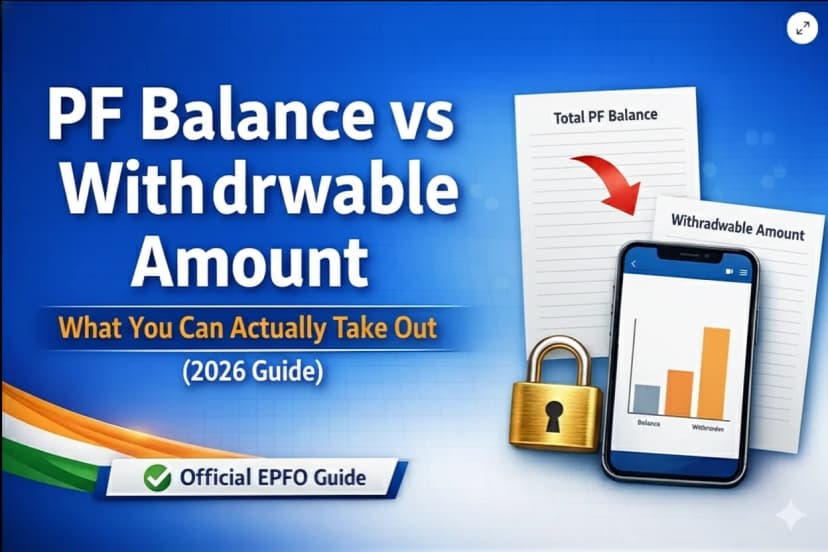
Withdrawing your Provident Fund shouldn’t feel complicated, especially when you’re already navigating a career transition. Whether you’ve resigned, been laid off, retired, or are moving abroad, your EPF savings are meant to support you during exactly these moments.
Form 19 is the official route to claim your full EPF balance, including your contributions, your employer’s share, and accumulated interest. But many applicants face delays or rejections due to simple mistakes like KYC mismatches, missing exit dates, or incorrect bank details.
This guide simplifies the entire Form 19 process for you. From eligibility and required documents to step-by-step online submission (via the UAN portal or UMANG app), tax implications, common rejection reasons, and offline alternatives, everything is explained clearly so you can apply with confidence.
Your PF is your hard-earned money. Let’s make sure you access it smoothly, quickly, and without unnecessary stress.
Note: This page covers Form 19 technical rules, tax implications, and rejection fixes. If you are looking for the full step-by-step walkthrough of the online portal clicks and OTP process, please see our [2026 EPF Withdrawal Master Guide].
1. What is Form 19 in EPF?
Form 19 allows a member of the EPFO (Employees' Provident Fund Organisation) to withdraw:
- Employee PF contribution
- Employer PF contribution
- Interest accumulated over the years.
Note: The Pension (EPS) amount is not withdrawn through Form 19. For that, you must use Form 10C.
2. When Can You Use Form 19?
You can apply for PF withdrawal using Form 19 when:
- You have left your job and have been unemployed for at least 2 months.
- You have retired or reached superannuation (age 58).
- You are permanently settling abroad.
- You have been declared medically unfit to continue employment.
Important: If you start a new job soon, it is highly recommended to transfer your PF to the new account instead of withdrawing it to save on taxes and keep your retirement corpus growing.
Learn how to transfer your PF correctly using Form 13 in our detailed PF Transfer Guide.
3. A Short Case Study: When PF Becomes a Lifeline
Meet Ananya, a marketing executive from Pune who lost her job during a company restructuring. With rent, groceries, and parents to support, anxiety began to pile up. Her PF savings were the only financial relief she could access.
She applied for withdrawal using Form 19 online. Within 14 working days, ₹1,25,000 was credited to her bank account. That money helped her manage expenses until she found another job.
This is why understanding PF withdrawal isn’t just a technical process. It supports real people in real moments of need.
4. Technical Prerequisites & Filing Rules for Form 19
To ensure your Form 19 claim is not just submitted, but actually settled, you must adhere to these four specific technical pillars. Unlike a general withdrawal, Form 19 is a "Final Settlement" claim, which triggers stricter system checks.
I. The "2-Month Rule" & Finality Logic
Form 19 will only appear as an option in your portal if the system recognizes a "break in service."
- The Waiting Period: You must be unemployed for 60 continuous days before the Form 19 option becomes active.
- The Exception: If you are retiring (attaining age 58), migrating abroad permanently, or if the establishment has legally closed, the 2-month waiting period is waived.
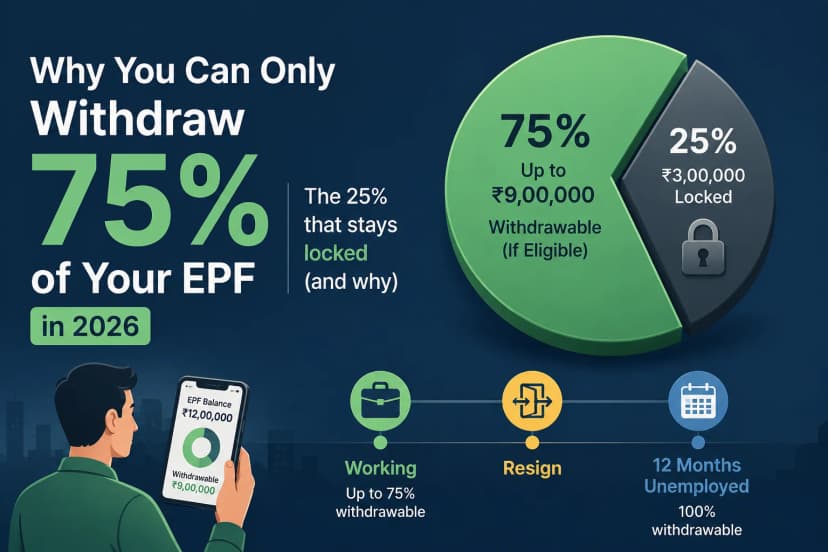
- The 75/25 Split: Under current rules, you can technically withdraw 75% of your balance as an "Advance" (Form 31) after only 1 month of unemployment. However, Form 19 is for the remaining 100% payout and requires the full 60-day window.
II. The "Tax Trap" (Form 15G/15H Requirements)
This is the most critical technical step for high-balance accounts. If your withdrawal amount is above ₹50,000 and your total service is less than 5 years, the EPFO is legally mandated to deduct TDS.
- The TDS Rates: 10% (with PAN) or up to 30% (without PAN).
- The Fix: You must upload a scanned copy of Form 15G (for those under 60) or Form 15H (for seniors) during the filing process.
- Technical Note: This form must be uploaded in PDF format and is the only way to receive your full amount without tax deduction.
III. Digital Document Specifications
Most Form 19 rejections are caused by "image failure" rather than eligibility issues. Your uploaded cheque or passbook must meet these exact criteria:
- File Format: Only .JPG or .JPEG (Some systems reject PDF for bank proof).
- File Size: Minimum 100KB and Maximum 500KB.
- Visibility: Your Name, Account Number, and IFSC Code must be clearly printed on the cheque. Hand-written names are the #1 cause of "Technical Rejection."
IV. The "Member Settled" & Overlap Alerts
Before you hit submit, the system cross-references your "Service History." Your claim will be auto-flagged if:
- Service Overlap: You have two Member IDs with overlapping dates (e.g., you joined a new company before legally leaving the old one).
- Member Settled: You previously attempted a withdrawal that was "partially settled." In this case, Form 19 may be blocked, and you may need to file a grievance to "re-open" the settlement.
- Transfer Pendency: If you have an active "Form 13" transfer request, you must wait for it to be "Settled" before filing Form 19, or your money will be split across two accounts.
5. EPF Form 19 Offline Submission
If your online PF withdrawal isn’t working due to KYC issues, inactive UAN, or an unresponsive employer, don’t worry. You can still withdraw your PF offline using Form 19. The process is simple if your documents are ready
Documents Required
- Filled EPF Form 19
- Cancelled cheque (name printed)
- Copy of Aadhaar
- Copy of PAN (recommended)
- UAN / PF number
- Revenue stamps (if the regional office asks)
Employer unavailable?
Attest the form through a Gazetted Officer / Bank Manager / Notary / Magistrate.
How to Fill Form 19 (Short Checklist)
- Name (as per PF records)
- Father’s/Husband’s name
- Date of birth
- UAN / PF number
- Employer name and address
- Date of joining & leaving
- Reason for leaving
- Bank account + IFSC
- Signature (sign across stamp if used )
To Download Complete Form 19 Click Here
Where to Submit?
Submit to your EPFO Regional Office:
- In person
- Or by post/courier
Keep photocopies of everything.
Processing Time
20 – 30 working days (may vary by EPFO office and verification)
Avoid These Common Errors
- Name or bank mismatch
- Missing employer/authority attestation
- Wrong IFSC/account number
- Signature mismatch
- Submitting before 2 months of unemployment(except retirement/illness cases)
6. Tax Rules You Should Know
- PF withdrawn BEFORE 5 years of service: TDS (Tax Deducted at Source) may apply (usually 10% if PAN is present).
- PF withdrawn AFTER 5 years of service: Generally tax-free.
- If PAN is missing, TDS can be deducted at a much higher rate (up to 30% or the maximum marginal rate).
Note: Tax deducted at source is not the final tax; it is adjusted when you file your income tax return.
7. Common Reasons Claims Get Rejected (and How to Fix Them)
- Bank account mismatch: The name/IFSC on the portal doesn't match the cheque/passbook.
- Aadhaar not verified: Ensure your Aadhaar name matches your UAN profile exactly.
- Incorrect Exit Date: Ensure the date of joining and exit does not overlap with other service periods.
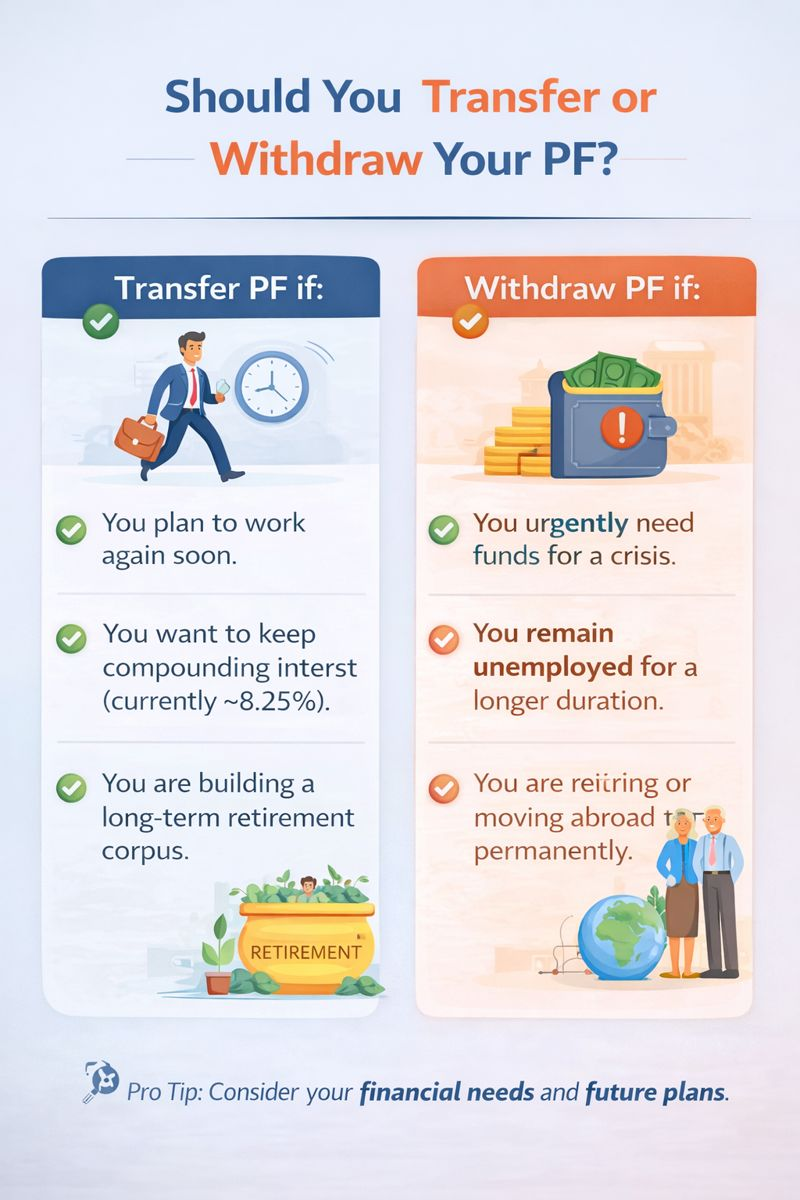
8. Should You Withdraw PF or Transfer It?
Sometimes, withdrawing feels necessary, especially during job loss or crisis. But if you’re switching jobs soon, transferring may benefit you more. Click to know more about the withdrawal Process.
If you expect to work again in India, transferring PF almost always preserves more long-term value than withdrawing.
Final Thought: You’re Not Alone in This Journey
Money matters feel heavier when life is uncertain. If you’re applying for PF withdrawal through Form 19, it likely means you’re going through a transition. This guide isn’t just about rules; it’s about supporting you with clarity, empathy, and confidence.
Your PF is your hard-earned money, and you deserve to access it smoothly.
Useful Official Links
Disclaimer: This article is for informational purposes only and does not constitute legal or financial advice. EPFO rules and interpretations may change. Always verify with official EPFO notifications or consult a qualified professional.