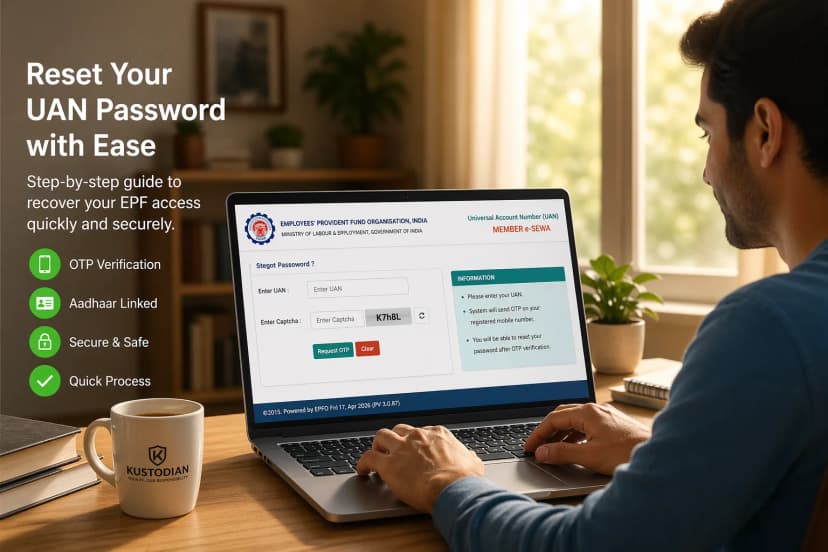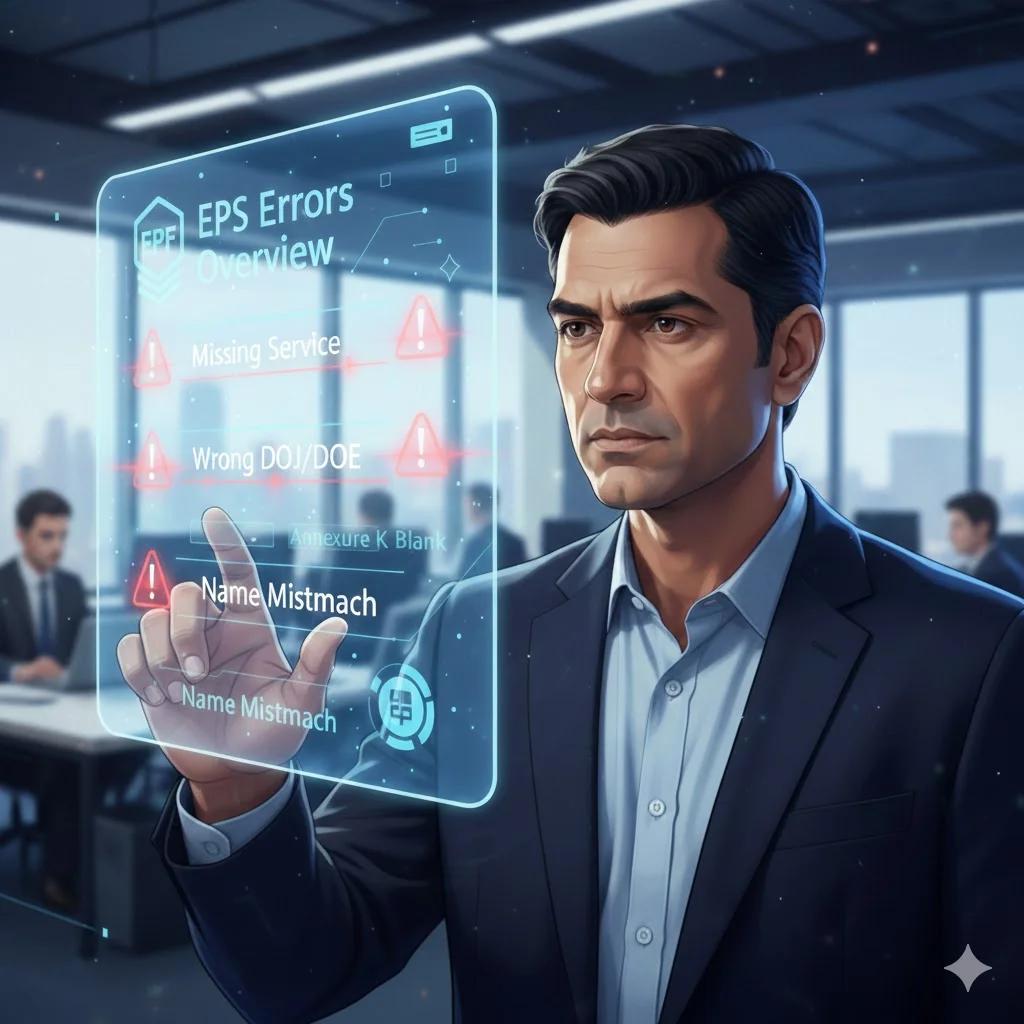
Most people open their EPFO passbook at a moment of emotional importance, retirement planning, a job change, or immediately after a loved one’s passing. You expect reassurance for your pf pension. Instead, you’re hit with confusion: a few years of service are missing, your Date of Joining looks wrong, EPS wages show as zero, Annexure K is blank, or your spouse’s name doesn’t match Aadhaar. This guide gives you a clear, human, step-by-step roadmap to fix every PF Pension error before filing Form 10D or 10C. It is based on thousands of real cases we’ve solved and the EPFO’s 2024 Standard Operating Procedure (SOP) for data corrections.
Before You Begin
Has your Pension or PF claim already been rejected? This guide fixes errors Agonisingyou apply.
If your Form 10D/10C was already rejected, use the dedicated guide: EPS Claim Rejected — Top Reasons & Proven Recovery Steps (2026)
Now let’s fix the data that blocks pensions.
Start With Clarity - Check Your Service History First
Before correcting anything, you must know exactly what’s wrong. Most users have multiple errors across multiple employers, often without realising it.
Free EPF/EPS Service Checker: Use this to instantly spot: - Missing years of service - Wrong DOJ/DOE - Annexure K gaps - Zero EPS wages - KYC mismatches - PF transfer gaps - Multiple UANs (Simple, no uploads. Helps you know where to start.)
This snapshot makes the rest of the guide much easier to follow
1. Why PF Pension Errors Matter
When you are applying for your monthly pension via Form 10D, an error on the EPFO portal is never just a minor clerical issue. It is a financial leak. These discrepancies directly and permanently impact your retirement security. Here is exactly why you cannot afford to ignore them:
1. A Permanent Reduction in Your Monthly Pension
Your final EPS pension is not a random number; it is calculated using a strict mathematical formula that relies heavily on two factors:
- Pensionable Service: The total number of eligible years you contributed.
- Pensionable Salary: The average of your wages during the last 60 months of service.
If previous employments aren't merged, or if your EPS wages show up as "zero" for certain months, the formula breaks. The result? Your monthly pension is permanently reduced for the rest of your life.
The Real-World Impact of Pension Errors:
| Error Type | Financial & Processing Impact |
| Missing 5 Years of Service | Permanent loss of ₹500–₹900 in your monthly pension payout. |
| Zero PF/EPS Wages (2 Years) | Breaks the pro-rata formula, drastically reducing the final pension amount. |
| Wrong DOJ / DOE | EPFO calculates your total service duration incorrectly, risking your 10-year eligibility. |
2. Months of AgonisingScrutinise Processing Delays
Even if your claim isn't outright rejected, minor mismatches act as massive roadblocks. Incorrect dates of joining or exit (DOJ/DOE), incomplete PF transfers from older companies, or pending KYC verifications can easily push your pension approval timeline from a standard 30 days to a frustrating 3 to 12 months.
3. Automatic Form 10D Rejections
The EPFO system is heavily automated. If the data on your application doesn't perfectly match their backend records, the system will automatically trigger a rejection for your Form 10D. The most common triggers include:
- Service Mismatch: Gaps between your actual work history and what is recorded.
- Date Mismatch: Conflicting Date of Birth (DOB), DOJ, or DOE across different Member IDs.
- Identity Mismatch: Your name on the PF portal does not perfectly match your Aadhaar database.
- Missing Annexure K: The crucial digital receipt containing your previous pensionable service history wasn't generated during a past PF transfer.
2. How to Know If Your PF Pension Data Has Issues
1. Your EPF/EPS Passbook
Your passbook is the first place to look for data corruption. Scrutinise your consolidated passbook for the following red flags:
- Missing Employer Entries: Older companies that haven't been merged into your current Universal Account Number (UAN).
- Zero EPS Wages: Months where the PF column shows contributions, but the pension/EPS column shows "0."
- Irregular Contribution Patterns: Unexplained gaps in your service history.
- Incorrect DOJ or DOE: A Date of Joining or Date of Exit that doesn't perfectly match your actual relieving letters.
2. The Missing "Annexure K" Trap
Think of Annexure K as your official digital service receipt. This is where most people get trapped by the system.
When you switch jobs and initiate a PF transfer, the actual money (the PF corpus) usually transfers to your new account without much hassle. However, the service data often does not. If your Annexure K was never generated by your previous regional EPFO office, or if it is blank or incomplete, those years of hard-earned service will simply not count toward your final pension calculation.
3. Portal Error Codes (While Applying)
If you are already trying to submit your Form 10D or transfer your pension, the EPFO portal will likely throw a hard stop if your data is messy. If you see any of the following exact error messages, your application cannot proceed until the underlying data is fixed:
- "Error 502 — Service Mismatch"
- "Pensionable Service Not Available"
- "Annexure K Not Available"
- "Date Mismatch"
Unsure if your service history is intact? Don't risk a rejected claim. Run a comprehensive diagnostic using our [Free EPF/EPS Service Checker] to instantly uncover hidden gaps, missing Annexure K files, and date mismatches before you apply.
3. Why PF Pension Errors Happen
When your PF pension claim gets stalled, it is rarely just a run-of-the-mill glitch. Behind the scenes, the Employee Pension Scheme (EPS) is a complex web of employer data, legacy government systems, and strict identity verification protocols.
Typically, these errors boil down to three main culprits:
1. Employer Mistakes (The Human Element)
The bulk of EPS errors originates at the HR or payroll level of your previous employers. Even a minor clerical typo years ago can derail your pension today. Common employer-driven errors include:
- Wrong DOJ or DOE: Incorrect Dates of Joining or Exit severely skew your total eligible service calculation.
- Incorrect Exit Reason: If HR marks your exit as "Cessation" instead of "Retirement" or "Superannuation" when you are eligible for a pension, the system will block your Form 10D.
- Unpaid PF Contributions: If a past employer deducted PF from your salary but failed to deposit it to the EPFO, your service record will show gaps.
- Pending Transfer Approvals: Old PF transfers that were initiated but never digitally approved by your ex-employer using their Digital Signature Certificate (DSC).
- Company Closure: If your past employer has shut down or liquidated, getting them to approve corrections becomes a massive logistical nightmare (often requiring bank manager attestations or magistrate affidavits).
2. Legacy Data Mismatches in the CPPS (The Systemic Element)
The EPFO is currently migrating to a Centralised Pension Payment System (CPPS). However, millions of older records are still fragmented across regional offices. During digital migrations or PF transfers, your historical service data can easily become:
- Lost or Unmapped: The financial corpus moves to your new UAN, but the actual service history (the vital Annexure K) is left behind.
- Duplicated: Multiple member IDs created for the same employment period.
- Stuck in Transit: Data caught in limbo between two different regional EPFO offices.
3. KYC and Identity Mismatches (The Algorithmic Element)
The EPFO operates on a strict, automated matching algorithm. If the details linked to your Universal Account Number (UAN) do not perfectly mirror your government-issued ID, the processing stops immediately.
- The Aadhaar Mismatch: If there is even a single letter difference in your Name, Date of Birth (DOB), or Spouse/Father's Name between your Aadhaar card and the EPFO database, the system will automatically reject the pension application.
4. 7 Major PF Pension Errors & How to Fix Them
This section moves beyond theory. If your Form 10D has been rejected or your passbook is a mess, general advice won't help you. Below are the exact, on-the-ground actions required to resolve the 7 most critical Employee Pension Scheme (EPS) errors, aligned with the latest EPFO Standard Operating Procedures (SOP).
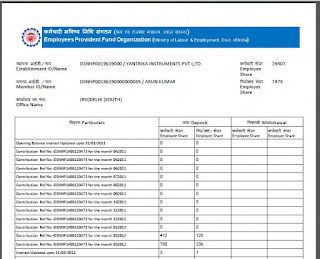
1. Missing Service (Service Not Showing)
This is the most common and most financially damaging error. If a chunk of your work history isn't showing up, the EPFO treats it as if you never worked there, drastically reducing your pension or breaking your 10-year eligibility.
Why does it happen?
- Your past PF transfer was initiated but never completed.
- Annexure K (your digital service receipt) was never generated by the regional office.
- The employer failed to map your service correctly.
- Your data got lost during the CPPS (Centralised Pension Payment System) migration or across multiple UANs.
How to Fix Missing Service (Step-by-Step):
- Identify the Gaps: Cross-check your consolidated PF passbook, your available Annexure K files, and your actual employment history to pinpoint the exact missing months/years.
- Trigger the Joint Declaration (JD): Email your previous employer's HR or Payroll team with a formal correction request.
- Employer Submission: Your HR files the correction online using their DSC. Always demand the Case ID and a screenshot of the submission.
- Wait for EPFO Processing: The regional office typically takes 15–30 days to approve the Joint Declaration.
- Regenerate Annexure K: Once approved, ensure your Annexure K is regenerated to reflect the mapped service.
2. Wrong DOJ / DOE (Date Errors)
Even a single-day mismatch between your actual Date of Joining/Exit and the EPFO portal will cause an automatic rejection of your pension claim.
Why does it happen?
- Employers forgot to update the Date of Exit (DOE) when you left.
- Legacy errors from old company HRMS software.
- The "Cessation" Trap: If your exit reason is marked as "Cessation" instead of "Retirement" or "Superannuation" when you reach pensionable age, the system auto-blocks your pension.
How to Fix DOJ/DOE Errors:
- Gather Proofs: Collect your original appointment letter, your very first payslip, and your final relieving letter.
- Request Employer Update: Email HR asking them to file a Joint Declaration for a DOJ/DOE correction via their DSC.
- Fix the Exit Reason: CRITICAL STEP: If your reason for leaving is incorrectly marked as "Cessation," explicitly instruct HR to change it to "Retirement" so your Form 10D unlocks.
- Track the Case ID: Follow up after 10–20 days.
3. Zero PF Wages / Wrong PF Wages
If your PF passbook shows standard EPF contributions but the EPS (Pension) column shows "0" for several months, your final pension formula breaks. Even 12 months of missing EPS wages can permanently reduce your monthly payout by ₹300–₹500.
How to Fix It:
- Identify the exact months showing zero wages.
- Contact your employer to refile the specific PF contribution returns for those months.
- Once the employer pushes the corrected data, the EPFO system will remap the wages to your pension account.
4. Annexure K Missing / Wrong
If your Annexure K is missing, the regional office calculating your final pension has no proof of your past service. This usually happens when PF trust accounts migrate to the EPFO, or during incomplete inter-regional transfers.
How to Fix It:
- Download whatever existing Annexure K you have from the portal.
- Compare it against your actual employment history.
- Raise a grievance on the EPFiGMS portal requesting a "Service Mapping and Annexure K Regeneration" for the specific missing Member IDs.
5. Name / Spouse / Father Name Mismatch
This is notoriously common and heartbreaking, especially for widows applying for a death pension. The EPFO operates on a strict Aadhaar-matching algorithm.
How to Fix It:
- Correct Aadhaar FIRST: Do not touch the EPFO portal until the physical Aadhaar card is perfectly updated to match the correct legal names.
- Submit KYC Update: Once Aadhaar is fixed, push the KYC update on the UAN portal.
- Joint Declaration: If the demographic mismatch is major, submit a Joint Declaration with the employer attaching marriage certificates or official affidavits. The employer approves it, and EPFO verifies it.
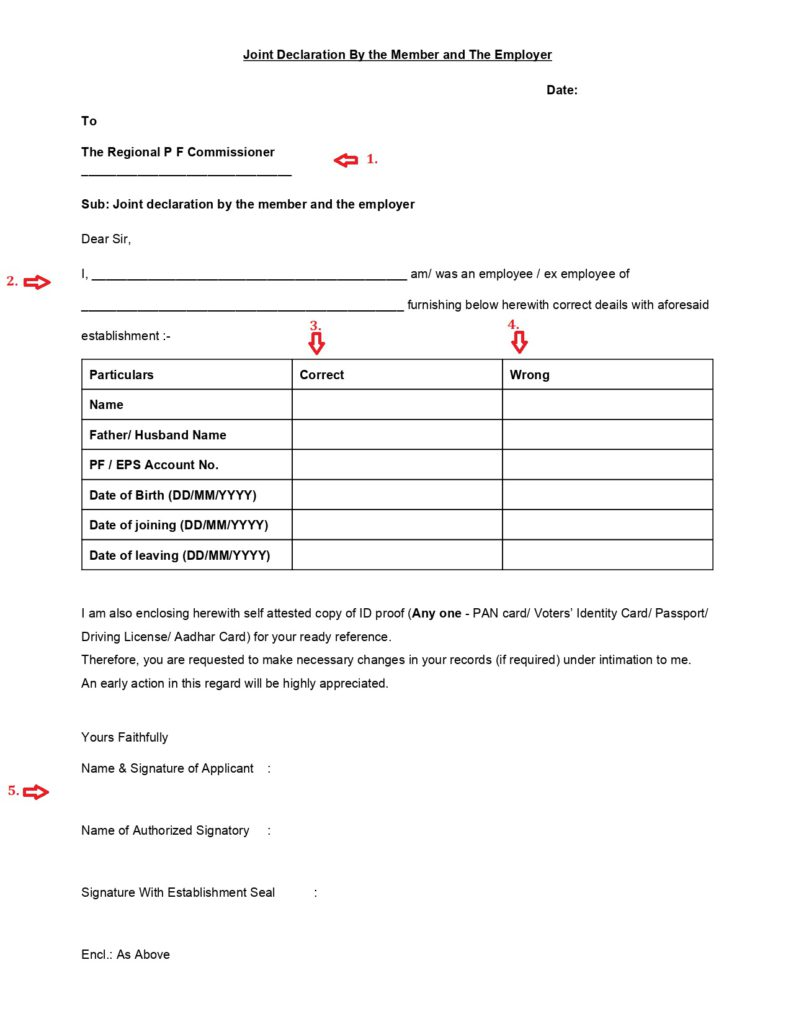
6. Service Not Mapped After PF Transfer
Sometimes your PF money moves, but the service doesn't.
How to Fix It:
- Ensure all old UANs are officially merged into your current, active UAN.
- If merged but still unmapped, raise a manual mapping request with the regional PF office holding your final account.
- Always finalize by checking if the Annexure K has been updated.
7. Employer Closed (The Hardest Category — Solvable)
If your past employer has liquidated, shut down, or absconded, you cannot get a Joint Declaration signed via DSC. Note: The EPFO no longer accepts standard Notary
Affidavits for closed companies.
You have two official, legal routes to bypass the employer:
Route A: The Magistrate Affidavit (Accepted Nationwide)
- Obtain a sworn affidavit signed by a First Class Judicial Magistrate.
- It must be printed on a ₹100 Non-Judicial stamp paper.
- You must attach bulletproof supporting evidence: an appointment letter, payslips, bank statements showing salary credits, and ID proofs. This legal document essentially replaces the employer's confirmation.
Route B: The Bank Manager Certification
- If your salary from the closed company was credited directly to your bank account, you can have the Bank Manager certify your employment and salary history.
- This is highly effective for very old companies and is widely accepted across many regional EPFO offices as valid proof of service.
5. EPFO SOP 2024 — Document Rules (Minor vs Major Corrections)
(EPFO Circular, March 2024 - Major/Minor Correction Rules)
To stop rampant fraud and streamline processing, the EPFO introduced a strict Standard Operating Procedure (SOP) for all Joint Declarations. The portal now ruthlessly categorizes your data mismatch as either a Minor Correction or a Major Correction.
Expert Fact-Check (The "12-Month" Myth): Many HR departments still operate on the old assumption that a date mismatch of less than 12 months is "minor" and over 12 months is "major." Let's gently correct that based on the latest EPFO circulars: Date of Birth (DOB) changes are now minor if the gap is up to 3 years, and major if over 3 years. For Date of Joining/Exit, any change requested while the employee is alive is officially classified as "Minor," while changes requested by heirs after a member's death are "Major." However, on the ground, regional field offices will still scrutinize entirely missing service or massive date gaps with the rigorous documentation standards of a Major correction.
Depending on the severity of your profile mismatch, here is the exact paperwork you (and your employer) must submit to unlock your pension:
1. Minor Corrections (Basic Typos & Standard Adjustments)
If your error is a slight name misspelling, a small Date of Birth adjustment, or a standard Date of Joining/Exit fix, the burden of proof is lighter. You typically need your Aadhaar plus at least one or two supporting documents.
Required Document Checklist:
- Aadhaar Card (Mandatory; must perfectly match your requested changes and be linked to your active mobile number)
- Joint Declaration Form (Signed physically or digitally by you and the employer)
- Supporting Employment Proof (Provide at least one):
2. Major Corrections (Missing Service, Drastic Changes & Suspicious Gaps)
If you are trying to map completely missing years of service, drastically changing your identity details, or fixing massive gaps in your record, the EPFO treats your application with high suspicion. You must establish an undeniable, bulletproof paper trail to prove you actually worked there.
Required Document Checklist:
- Official Appointment Letter (On company letterhead to establish the exact DOJ)
- First-Month Payslip (Corroborates your joining date and initial PF deductions)
- Relieving Letter / Experience Certificate (To prove your exact Date of Exit)
- Salary Bank Statements (Crucial: Shows the actual salary crediting to your account during the missing periods)
- Additional Employment Proof (e.g., Company ID cards, Form 16, or Income Tax returns)
- Joint Declaration Form
- Annexure K (If available from a previous incomplete transfer)
- Magistrate Affidavit: (Only required if your employer is closed, liquidated, or absconding. This must be sworn before a First Class Judicial Magistrate on ₹100 Non-Judicial stamp paper and acts as a legal replacement for the employer's signature.)
6. Screenshot-Friendly Document Checklists
When you are dealing with HR departments or regional EPFO offices, you need exactly the right paperwork on the first try. Missing a single document will result in your application being pushed to the back of a 30-day queue. Save or screenshot this exact section on your phone before you start your correction process.
Use this when your Date of Joining or Date of Exit is wrong, or if your exit reason was incorrectly marked as "Cessation."Use this when entire months or years of your work history are completely missing from your pension passbook. Use this when your PF money is transferred successfully, but your pensionable service history does not move with it.
7. Universal Workflow for Any PF Pension Correction
- Digital Audit: Log in to the "Passbook Lite" portal to see real-time service gaps.
- Self-Correction: Use the 'Manage > Modify Basic Details' tab for minor errors. This bypasses employer approval for many UANs issued after 2017.
- E-Sign Joint Declaration: For major errors, use the Aadhaar-based E-Sign on the portal. No more physical couriers to the PF office.
- Verification: Track your request. Minor changes should be updated within 7 working days.
8. Correction Timelines
| Task | Timeline |
| Employer corrections | 2–15 days |
| EPFO updates | 30–90 days |
| Annexure K fixes | 7–20 days |
| Closed employer cases | 1–6 months |
| CPPS issues | 45–120 days |
9. When You Should NOT File Your Pension Claim
It is incredibly tempting to just submit your pension application and hope the EPFO officials will notice the missing data and fix it on their end. Let me be completely honest with you: they will not.
The EPFO portal is heavily automated. If your underlying data is fragmented, hitting "Submit" does not start a conversation with an officer; it simply triggers an automated rejection. Worse, while a faulty claim is "under process," your account is completely locked, preventing you or your HR from making the necessary corrections for weeks.
Do NOT file your Form 10D (Monthly Pension) or Form 10C (Scheme Certificate) if any of the following are true:
- [ ] Your Service is Missing: You know you worked for 12 years, but the portal only shows 8.
- [ ] Your DOJ or DOE is Incorrect: Even a one-day mismatch in your joining or exit dates will break the calculation.
- [ ] You Have a Name/KYC Mismatch: Your Aadhaar name and your EPFO profile name are not identical.
- [ ] Your Annexure K is Blank: The digital receipt of your past service history hasn't been generated by your old regional office.
- [ ] You Have Unmerged UANs: You have multiple UANs from different employers that haven't been consolidated into your final, active UAN.
- [ ] Your PF Transfer is Incomplete: Your past PF money is still sitting in an old account or trust.
- [ ] Your EPS Wages Show "Zero": The pension contribution column in your passbook is blank for several months.
Expert Warning: Filing your claim before fixing these exact errors guarantees a rejection. It will only add a painful 30 to 60-day delay to your retirement timeline.
What If You Already Filed and Got Rejected?
If you recently received an SMS or portal notification saying your Form 10D was rejected, take a deep breath, but do not immediately hit "refile." Refiling the exact same broken data will just trigger a second rejection.
Instead, you need to decode the exact rejection remark the EPFO officer left on your claim status. Before you do anything else, pause and follow our step-by-step [EPS Claim Rejected — Recovery Guide (2026)] to clear the roadblock first.
10. Pension Readiness Checklist
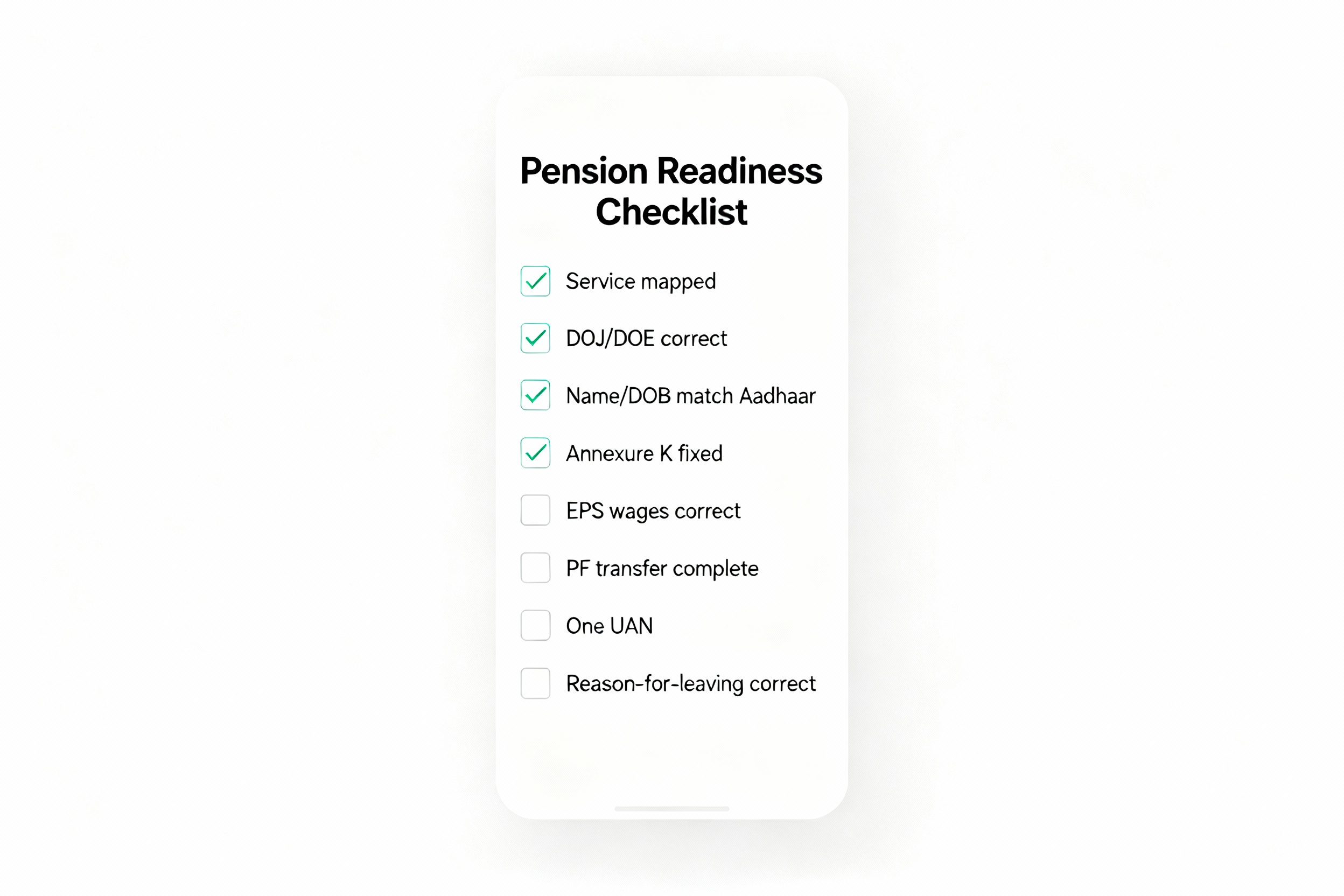
✔ All services are visible
✔ DOJ/DOE correct
✔ Name & family details match Aadhaar
✔ Annexure K regenerated
✔ EPF wages fixed
✔ One active UAN
✔ Exit reason correct
11. How Kustodian Helps
Kustodian assists with:
- missing service
- wrong dates
- Annexure K mapping
- KYC issues
- widow & dependant pensions
- closed employer affidavits
- CPPS migration issues
- end-to-end pension filing
12. FAQs
1. How do I fix the missing service in my Pension passbook online?
You cannot fix it fully online. Employer must file the Joint Declaration + EPF correction. EPFO updates the service, and you regenerate Annexure K.
2. How do I correct DOJ/DOE in EPFO?
Submit Joint Declaration + supporting documents. Employer approves via DSC. EPFO updates records.
3. What to do if Annexure K is missing?
Raise a service mapping request at EPFO and regenerate Annexure K.
4. Can I fix DOE without an employer?
No, unless the employer is closed. Use a Magistrate Affidavit or bank certification.
5. Why is EPF showing zero?
EPF not deposited or data corrupted. Employer must refile contributions.
6. How do I fix the name mismatch in EPFO?
Correct Aadhaar → Update KYC → Employer approval → EPFO verification.
7. How do I fix EPF errors when the employer has closed?
Use a Magistrate Affidavit or a Bank Manager Certificate as an employer substitute.
8. Do I need Annexure K for pension?
Yes. Without Annexure K, EPFO cannot verify past service.
13. Conclusion
PF Pension errors can feel overwhelming, especially when discovered late in life or during a family crisis. But every issue, missing service, wrong dates, blank Annexure K, name mismatches, is fixable with the right sequence of steps.
Your pension is a lifelong income. Fixing your data today protects your stability tomorrow.
Disclaimer: This article is for informational purposes only and does not constitute legal or financial advice. Rules may vary based on individual records and EPFO processing.
![Why E-Khata Applications Get Rejected in Bangalore (And How to Fix Them) [2026]](/_next/image?url=https%3A%2F%2Fwebsite-assets-wix.s3.ap-south-1.amazonaws.com%2Fimages%2Fposts%2F3031ceb9f0274289aad5c5f140be716f.webp&w=828&q=75)