Introduction
Finding out that your UAN activation failed is a modern-day professional rite of passage. You’ve just joined a new dream job, or perhaps you’re finally trying to withdraw that old PF balance, only to be met with a red error message on the EPFO portal.
If you are staring at a screen that says "Authentication Failed" or "Details Mismatch," the first thing to do is breathe. In 2026, the EPFO (Employees' Provident Fund Organisation) has moved toward a high-security, Aadhaar-centric validation system. While this makes the portal stricter, it also means there is a fixed, logical solution for every single error.
This guide is designed to de-escalate the panic and provide an immediate fix for every common UAN activation hurdle.
UAN activation errors in 2026 are primarily caused by data mismatches between the EPFO database and the UIDAI (Aadhaar) database. These issues are fully correctable under current EPFO rules using the digital Joint Declaration (JD) workflow.
1. “My UAN Activation Failed.”
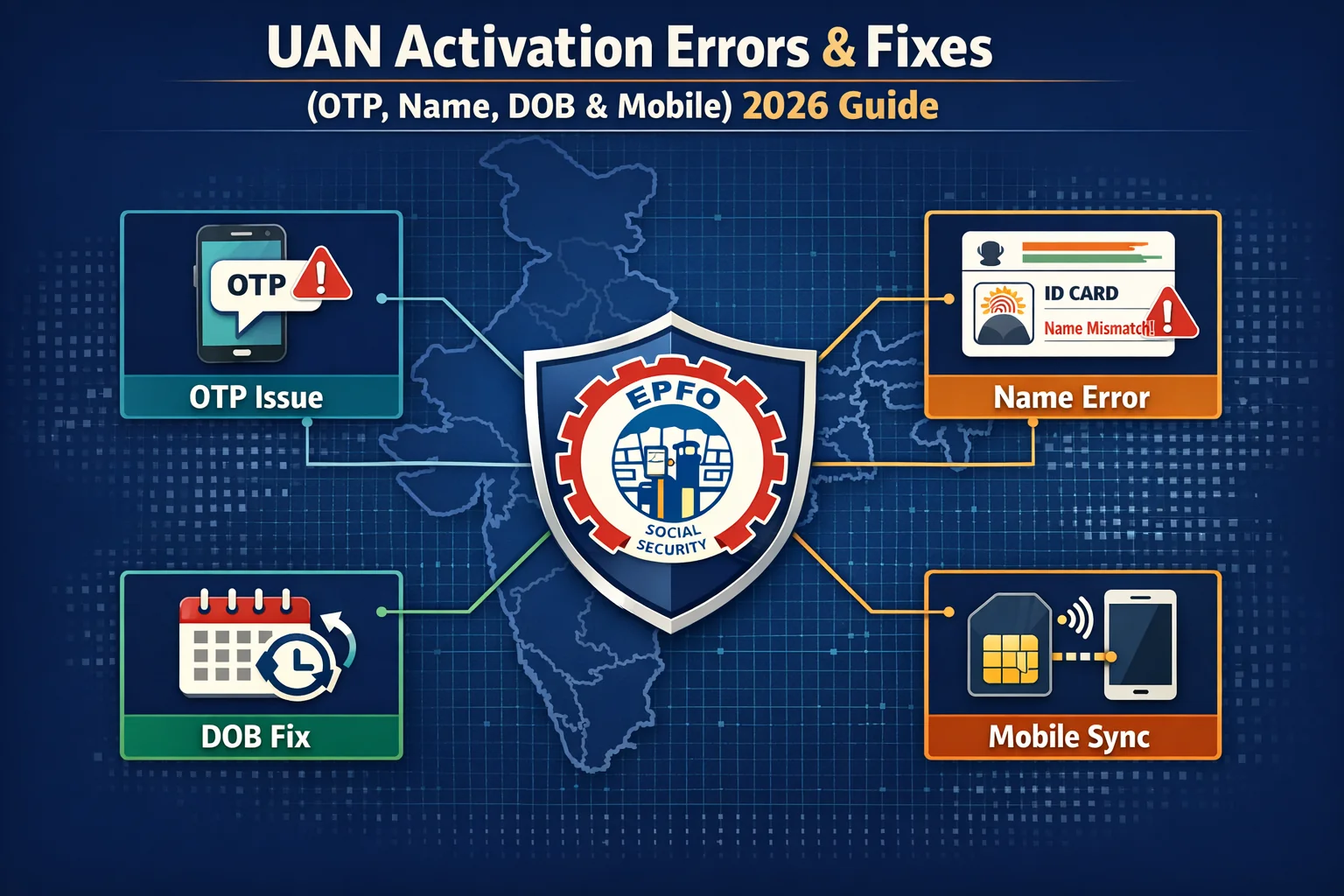
When the portal rejects your request, it feels like your hard-earned money is locked away forever. You might be seeing:
- “OTP didn’t come to my phone.”
- “The portal says my name doesn’t match.”
- “My Date of Birth is wrong in their records.”
- “I keep getting 'System Error' or 'Activation Failed'.”
The Reality Check: An activation failure is a system rejection, not a denial of your funds. It simply means the "digital handshake" between your input and the official records failed. We are going to fix that handshake today. No guesswork, no portal-hopping, just the facts.
2. How EPFO Validates UAN Activation in 2026
To fix the error, you must understand the "Validation Chain." For a UAN to activate, the following four links must be perfectly aligned:
- Aadhaar Database: Your details must be current in the UIDAI records.
- Aadhaar-Linked Mobile: You must have access to the phone number linked to your Aadhaar (not necessarily the one given to your employer).
- EPFO Master Data: Your Name, DOB, and Gender in the EPFO records must match your Aadhaar exactly.
- OTP Verification: A 6-digit PIN must be successfully entered.
The Golden Rule: If even one letter or digit is different across these four links, UAN activation stops instantly.
If your portal is behaving strangely, our EPF Troubleshooting Masterclass (2026) offers solutions for technical glitches and backend sync errors.
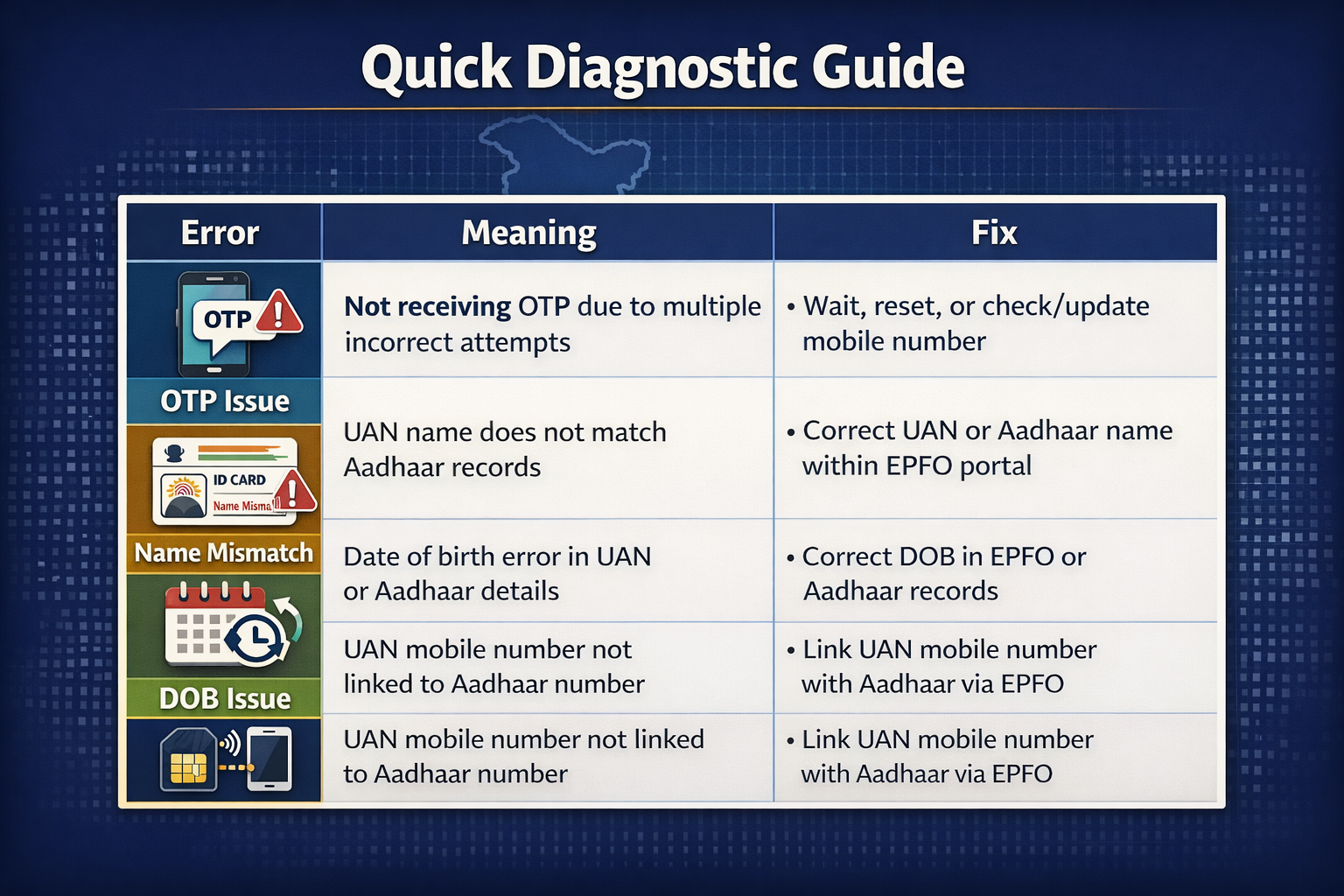
3. Quick Diagnostic: Why is your UAN failing?
| Error Message / Symptom | What It Usually Means | Immediate Fix |
| OTP Not Received | Aadhaar mobile mismatch or network lag. | Check the Aadhaar-linked mobile. |
| Name Mismatch | EPFO name ≠ Aadhaar name. | Digital Joint Declaration (JD). |
| DOB Mismatch | Incorrect DOB seeded by the employer. | Online DOB correction request. |
| Mobile Number Mismatch | Aadhaar & UAN use different numbers. | Update your Aadhaar mobile first. |
| UAN Activation Failed | Multiple retries or technical lock. | Wait 24 hours and retry once. |
4. Error 1: UAN Activation OTP Not Received
This is the #1 complaint in 2026. You click "Get Authorization PIN," and... silence.
Why This Happens
- Wrong Phone: You are checking the mobile number you gave your HR, but the OTP is sent to the Aadhaar-linked mobile.
- DND/Network: Some carriers block transactional SMS via DND (Do Not Disturb) filters.
- Aadhaar Sync: If you recently updated your Aadhaar mobile, it might take 48–72 hours for the EPFO portal to "see" the new number.
The 2026 Fix Path
- Verify your Aadhaar Mobile: Go to the UIDAI website and use "Verify Email/Mobile" to see which number is actually linked.
- Wait 24 Hours: Avoid hitting the "Resend" button ten times. The EPFO system often flags multiple requests as "spam" and locks your UAN for 24 hours.
- Use UMANG: If the web portal is laggy, the UMANG App often has a more stable OTP delivery route for UAN services.
5. Error 2: UAN Activation Name Mismatch
This is a "hard" error. It usually says: "Name mentioned does not match the Name in Aadhaar."
Why This Happens
- Initials: Your Aadhaar says "Rajesh Kumar," but EPFO has "R. Kumar."
- Spelling: A simple typo like "Sita" vs "Seetha."
- Surnames: Common for women whose surnames changed after marriage but weren't updated in the PF records.
The 2026 Fix Path
In 2026, you cannot "force" an activation if the name is wrong.
- Aadhaar is the Truth: Your EPFO records must change to match your Aadhaar.
- Digital Joint Declaration: Log in to the Member Portal (if you have an old password) or ask your employer to initiate a Modify Basic Details request.
- Employer Approval: Your HR must approve the name change using their Digital Signature (DSC).
Warning: Do NOT try to type your name differently in the activation box to see if it works. It will lead to a permanent account lock.
6. Error 3: UAN Activation DOB Mismatch
The system says: "Date of Birth mismatch." This is often the most frustrating because it prevents you from even seeing your passbook.
The Reality of DOB Errors
EPFO categorizes DOB corrections into two types:
- Minor (< 3 years difference): Can be fixed relatively quickly via the online portal with Aadhaar as proof.
- Major (> 3 years difference): Requires additional proof like a Birth Certificate or School Leaving Certificate.
How to Fix
- Check your Aadhaar DOB exactly (Day-Month-Year).
- Submit a correction request through the "Manage > Modify Basic Details" section on the EPFO portal.
- Wait for the "Verified by IT" status before attempting activation again.
7. Error 4: Mobile Number Mismatch in UAN Activation
Confusion often arises because members think the mobile number registered with their employer is the one needed for activation.
The Fix
- Update Aadhaar First: Go to an Aadhaar Kendra or use the UIDAI self-service portal to ensure your current mobile is linked to Aadhaar.
- EPFO Sync: Once Aadhaar is updated, the EPFO portal automatically pulls that number during the activation process.
Key Clarity: Changing your mobile number in the EPFO profile after activation is easy. But during activation, you are at the mercy of the Aadhaar database.
8. Error 5: Generic “UAN Activation Failed.”
If you see a blank error or a message saying "Activation Failed" without a specific reason, you have likely triggered a security lockout.
What to Do
- Stop Immediately: Stop retrying. Each failed attempt extends the lockout.
- The 48-Hour Rule: Wait a full 48 hours without touching the portal.
- Technical Check: Clear your browser cache or use Incognito Mode (Chrome) or Private Window (Firefox).
- Face Authentication: In 2026, the UMANG App allows "Face Authentication" for UAN services. If OTPs fail, try the face scan via the Aadhaar Face RD App.
9. What NOT to Do (4 Common Pitfalls)
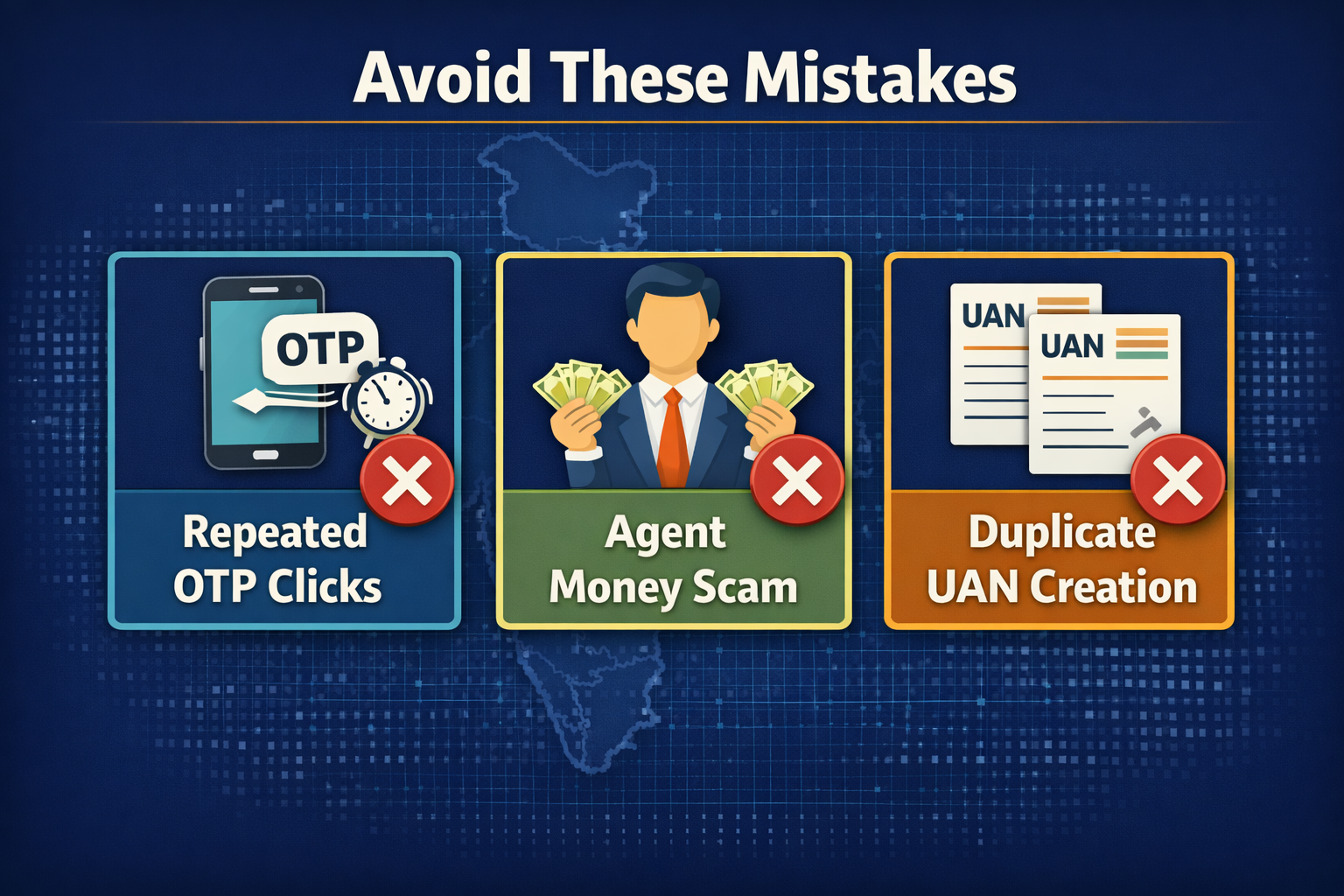
Most long-term EPFO problems don't start with government errors - they start with "panic clicks." When a member encounters an error message or a slow-loading screen, the natural instinct is to keep clicking or try to "hack" the system by creating new profiles. In the world of the EPFO, these actions can lead to months of administrative hurdles.
1. The OTP Loop and Account Lockouts
If you don't receive your Aadhaar-linked OTP immediately, resist the urge to keep retrying. The EPFO portal and Aadhaar servers (UIDAI) have strict rate-limiting protocols. Repeatedly requesting OTPs within a short window can flag your account for "suspicious activity" or lead to a temporary IP block.
Pro Tip: Wait at least 15 minutes between attempts, and ensure you have a stable network connection before clicking "Resubmit."
2. The Aadhaar vs. PAN Hierarchy
Many employees mistakenly try to activate their UAN using the name as it appears on their PAN card. It is critical to understand that EPFO prioritizes Aadhaar as the primary "Source of Truth". If your PAN says "S. Kumar" but your Aadhaar says "Sanjay Kumar," you must use the Aadhaar version for activation. Using mismatched data won't just fail; it can create a "mismatch lock" that requires a manual Joint Declaration Form to fix.
3. The "Double UAN" Trap
Never attempt to create a new UAN to bypass an issue with an old one. Having two UANs is a legal and administrative nightmare that complicates your service history and pension eligibility. Instead of doubling your accounts, merge them. Use the "One Member - One EPF Account" tool to consolidate your old Member IDs under your current UAN. This ensures your service history remains continuous, which is vital for reaching the 10-year mark for pension eligibility.
4. Beware of Fraudulent "Agents"
UAN activation and basic corrections are completely free services provided by the government. If an agent or a third-party website asks for a fee to "bypass" a name mismatch or "expedite" a withdrawal, they are likely attempting identity fraud. These individuals often use your credentials to divert your hard-earned savings. Always use official channels like the EPFO portal or trusted platforms like Kustodian.life for legitimate, transparent guidance.
10. Decision Tree: Which Fix Applies to You?
Here are the exact fixes that you would need for activating your UAN successfully. These fixes will apply as per the specific problem that you are facing and effectively help you to activate your UAN.
- Can't find your UAN? → Use "Know Your UAN" with your Aadhaar number.
- OTP not arriving? → Check Aadhaar-linked mobile status.
- Details Mismatch? → Submit a Digital Joint Declaration through your current employer.
- UAN already active? → Use "Forgot Password" instead of "Activate UAN."
11. Realistic Timelines for Fixes (2026 Estimates)
| Issue | Resolution Time |
| Aadhaar Mobile Update | 1–3 Days |
| Minor Name/DOB Fix | 7–10 Days |
| Major Name/DOB Fix | 15–30 Days |
| EPFO System Lock Reset | 24–48 Hours |
12. When to Seek Professional Help
If you have tried the steps above and:
- Your employer is unresponsive, or the company has closed.
- You have multiple UANs with different names/DOBs.
- You are an International Worker (IW) with foreign documentation.
In these cases, a "Joint Declaration" may need to be submitted in person at the Regional PF Office.
Activation doesn't guarantee your funds are there. Perform a Free EPF Audit with Kustodian to detect missing employer contributions before they become unrecoverable.
14. Useful Links & Official Resources
- UAN Member Portal (Activation, KYC, Passbook): https://unifiedportal-mem.epfindia.gov.in/memberinterface/
- EPFO Passbook Portal: https://passbook.epfindia.gov.in/
- Know Your UAN Tool: https://unifiedportal-mem.epfindia.gov.in/memberinterface/no-auth/uanActivation/knowYourUan
- EPFO Official Website: https://www.epfindia.gov.in/
- EPFO Grievance Portal (EPFiGMS): https://epfigms.gov.in/
- UIDAI Official Website: https://uidai.gov.in/
- Verify Aadhaar Linked Mobile or Email: https://myaadhaar.uidai.gov.in/verify-email-mobile
- Locate Aadhaar Seva Kendra: https://appointments.uidai.gov.in/
- Download mAadhaar App: https://uidai.gov.in/en/my-aadhaar/get-aadhaar/myaadhaar-app.html
- UMANG App (Government Digital Services): https://umang.gov.in/
- EPF Claim Status Tracking: https://unifiedportal-mem.epfindia.gov.in/memberinterface/no-auth/claim-status
- EPFO Regional Office Locator: https://www.epfindia.gov.in/site_en/Office_Locator.php
Conclusion
UAN activation errors are annoying, but they aren't permanent. By 2026, the system will have become binary: either the data matches and it works, or it doesn't, and you must fix the data. Always use Aadhaar as your "Source of Truth" and ensure your employer has the same spelling of your name that appears on your blue Aadhaar card.
13. Frequently Asked Questions (FAQs)
Why is my UAN activation failing in 2026?
Most failures are due to the "Aadhaar Seeding" requirement. If your Aadhaar is not linked or if the data (Name/DOB) differs by even a single character, the activation will fail.
What if the OTP never comes, even after 24 hours?
Check if your Aadhaar has "Aadhaar Lock" enabled via the mAadhaar app. If your biometrics or Aadhaar is locked, the OTP service for third-party apps like EPFO will not work.
Can I activate UAN without an employer?
You need your employer only if there is a data mismatch. If your Aadhaar details match exactly, you can activate your UAN independently on the portal.
Does the employer need to approve my activation?
No. Activation is a self-service process. However, the employer must have uploaded your correct KYC (Aadhaar) to the EPFO portal beforehand.
My mobile number has changed. Can I still activate my UAN? Yes, but your new mobile number must be updated in your Aadhaar records first. The EPFO portal pulls your contact data directly from the UIDAI database during activation; if the number you enter doesn't match your Aadhaar-linked number, the OTP will not be generated.
I get an "Error: Identity Verification Failed" message. What does it mean? This usually indicates a demographic mismatch. Even if your name is correct, check your Date of Birth (DOB) and Gender. In 2026, the EPFO system is highly sensitive to "ghost spaces" (extra spaces between names) or initials that don't perfectly align with your Aadhaar profile.
Can I activate my UAN if my previous company has closed down? Yes, provided your Aadhaar was already "seeded" (linked) to that UAN by the employer while the company was active. If the KYC was never completed, you may need to visit the Regional PF Office with a Joint Declaration Form attested by your bank manager to fix the records manually.
Does UAN activation expire if I don't do it immediately? No, your UAN does not expire, but it remains "Inoperative" for digital services until activated. You will not be able to view your passbook, download your UAN card, or initiate any online transfers or withdrawals until the activation process is complete.
What should I do if the portal says "UAN is already active"? This often happens if a previous employer or an HR department initiated the activation on your behalf. Instead of activating, go to the "Forgot Password" section. If your Aadhaar and mobile number are linked, you can reset the credentials and regain access to your account immediately.
Disclaimer: This article is for informational purposes only and does not constitute legal or financial advice. Rules may vary based on individual records and EPFO processing.