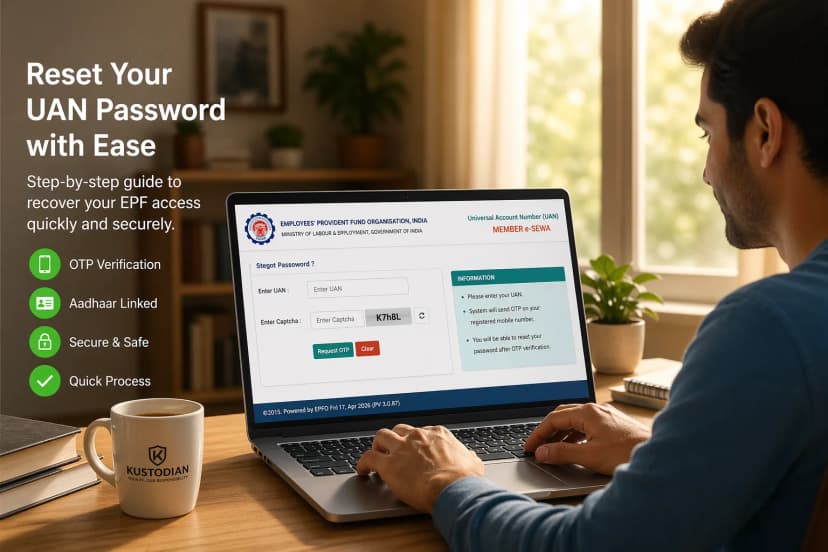
Tracking your Provident Fund (PF) balance is one of the simplest yet most important ways to monitor your long-term savings. In 2026, checking your PF balance no longer requires visiting an EPFO office or navigating complex paperwork. The Employees’ Provident Fund Organisation (EPFO) now provides multiple official channels, including missed call, SMS, and the UMANG mobile app, so members can access their balance quickly and securely.
Whether you are using a basic feature phone without internet access or a smartphone with full digital services, there is a method designed for you. Because knowing your balance is more than just seeing a number, it is about understanding your retirement savings, employer contributions, and financial readiness.
"Is your UAN ready? Before you can check your balance, your account must be fully set up. If you haven't activated your number or are facing biometric errors, follow our 2026 UAN Activation & Aadhaar Face Authentication Guide to get started instantly.
Contents
1. "I Just Want My PF Balance: No Login, No App."
2. Prerequisites: What You Need Before You Start
3. Method 1: PF Balance Check by Missed Call (The Fastest Way)
4. Method 2: PF Balance Check by SMS (Multilingual Support)
5. Method 3: Using the UMANG App (The Digital Dashboard)
6. SMS vs. Missed Call vs. UMANG: Which Should You Use?
7. What the Balance Represents (And What It Doesn't)
8. Common Issues: Why Didn't I Get a Response?
9. Safety & Data Privacy
10. Frequently Asked Questions (FAQs)
The Kustodian "Withdrawal Readiness" Audit
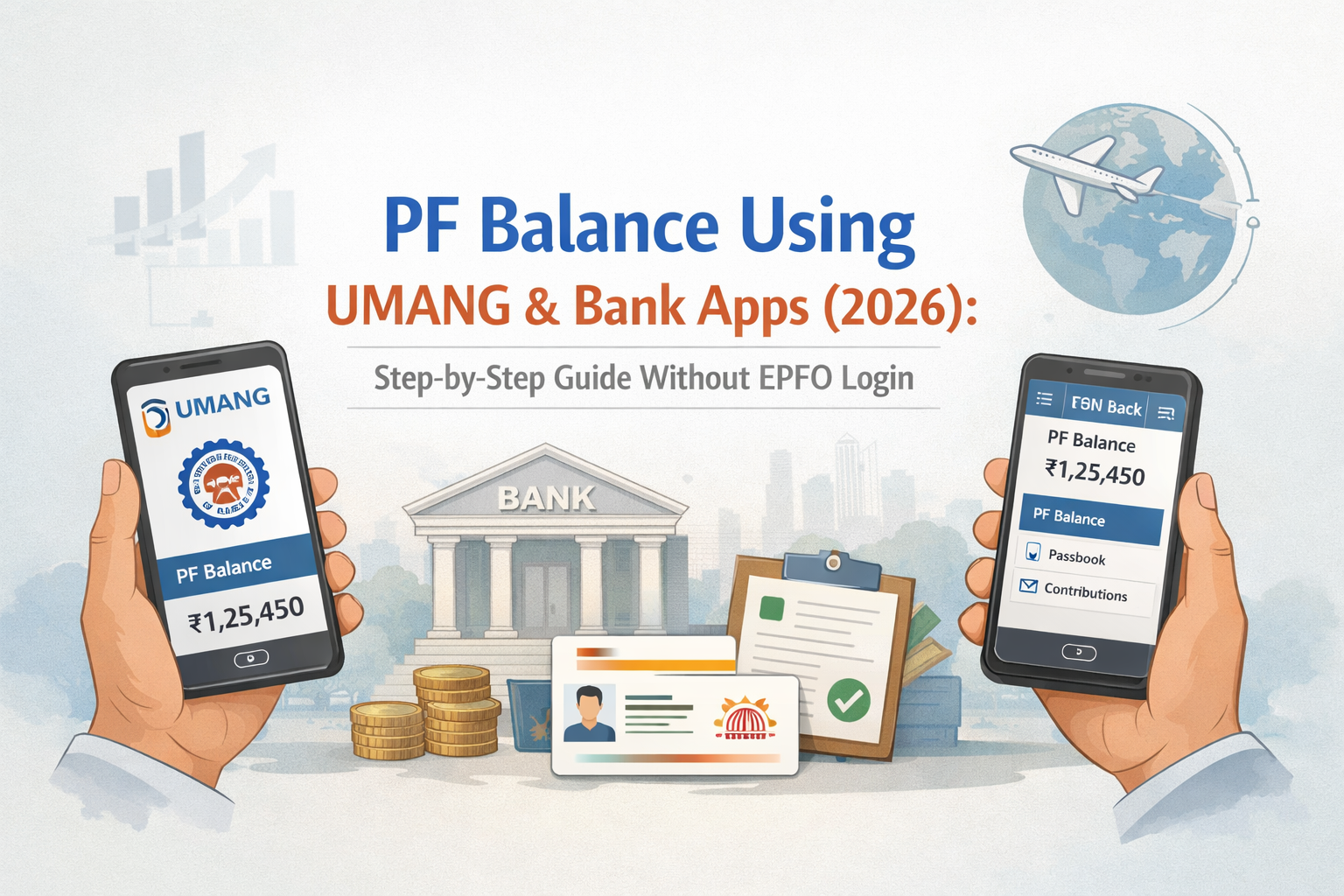
1. "I Just Want My PF Balance: No Login, No App."
Sometimes, you need a quick number without the hassle of passwords or downloading new software. These "low-friction" methods are designed for:
- Users without UAN logins: If you’ve forgotten your password or haven't set up the portal.
- Feature phone users: Those using basic devices without internet access.
- Travelers & Emergencies: When you need a quick check but have a spotty data connection.
- First-time Users: Those unsure how to navigate the complex government portals.
The Reassurance: EPFO provides two official, toll-free ways to check your balance without logging in: SMS and Missed Call.
2. Prerequisites: What You Need Before You Start PF Balance Using UMANG
Before dialing or texting, ensure you meet these mandatory requirements to avoid a "No Response" error:
- Registered Mobile Number: The request must come from the phone number linked to your UAN.
- Active UAN: Your Universal Account Number must be activated.
- Seeded KYC: UAN must be Aadhaar-seeded and activated: Aadhaar, PAN, or Bank Account.
- Employer Compliance: Your employer must have uploaded the latest ECR (Electronic Challan cum Return).
3. Method 1: PF Balance Check by Missed Call (The Fastest Way)
The missed call service is the most popular method in 2026 due to its zero-cost nature and speed for PF Balance Using UMANG
How to Use the Missed Call Service:
- Dial 9966044425 from your registered mobile number.
- The call will automatically disconnect after two rings.
- Typically, within a few minutes, you will receive an automated SMS from EPFO.
Details You Will Receive:
- Member Name and Date of Birth.
- UAN and the last four digits of the linked Aadhaar/Bank Account.
- Total PF Balance (Employee + Employer share).
- Last contribution amount and month.
4. Method 2: PF Balance Check by SMS (Multilingual Support)
The SMS method is ideal if the missed call service is busy or if you prefer the information in your native language.
How to Send the SMS:
Send a message to 7738299899 in the following format:
Format: EPFOHO UAN [LAN]
- Replace UAN with your 12-digit Universal Account Number.
- Replace [LAN] with the first three letters of your preferred language.
| Language | Code | Language | Code |
| English | ENG (Default) | Marathi | MAR |
| Hindi | HIN | Kannada | KAN |
| Punjabi | PUN | Telugu | TEL |
| Gujarati | GUJ | Tamil | TAM |
| Bengali | BEN | Malayalam | MAL |
Example: To get details in Hindi, text: EPFOHO 123456789012 HIN to 7738299899.
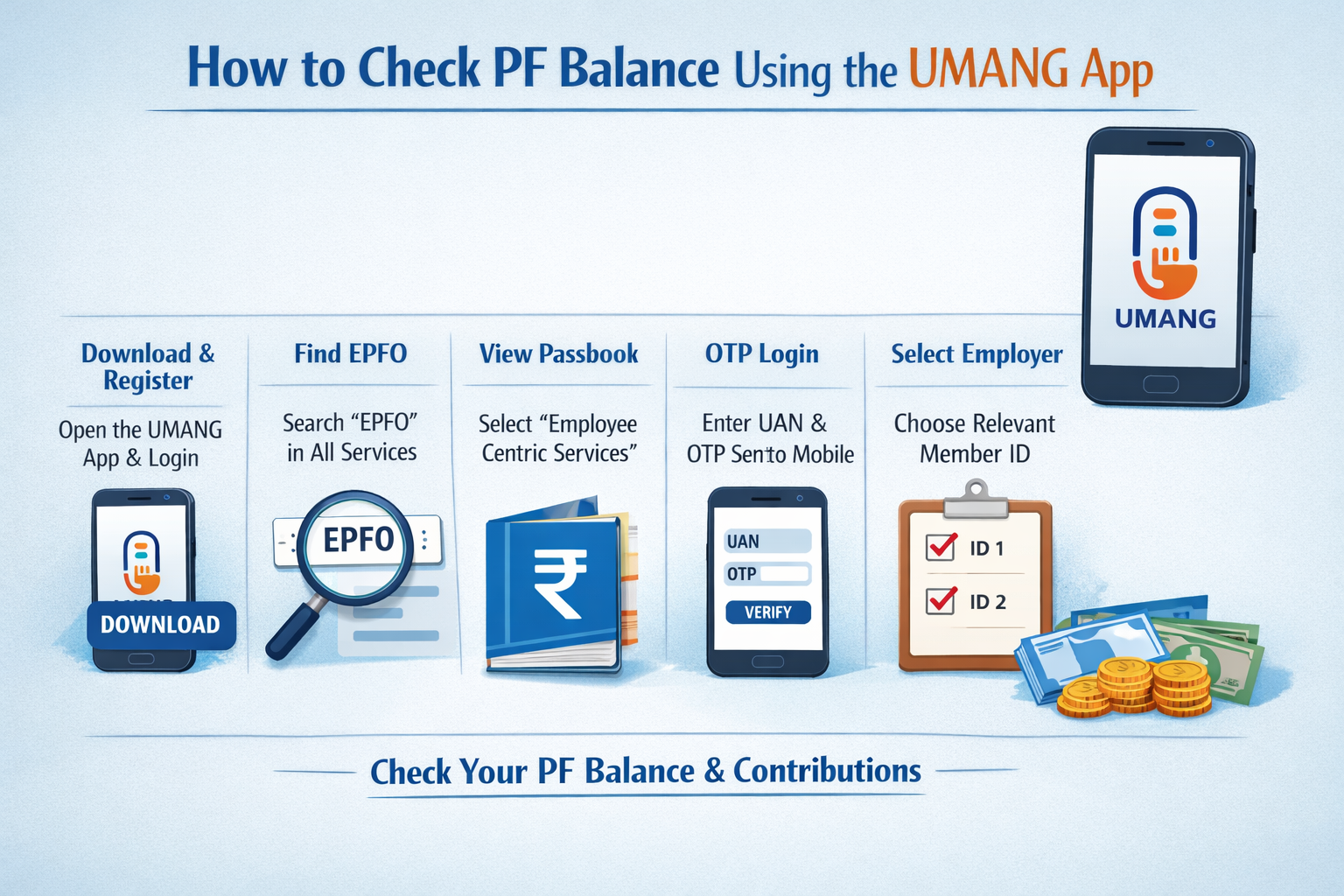
5. Method 3: Using the UMANG App (The Digital Dashboard)
For those who prefer a visual interface, the UMANG (Unified Mobile Application for New-age Governance) app is the official government gateway.
Steps to Check Balance on UMANG:
- Download & Register: Open the UMANG app, then log in with your mobile number.
- Find EPFO: Search for "EPFO" in the "All Services" tab.
- View Passbook: Select "Employee Centric Services" and click "View Passbook."
- OTP Login: Enter your UAN, and the OTP sent to your registered mobile.
- Select Employer: If you have multiple Member IDs, select the relevant one to see the detailed balance.
The UMANG app is part of a massive digital overhaul. To see how these app-based services fit into the broader 2026 EPFO Rule Changes, including auto-settlements and centralized payments, check our full summary."
6. SMS vs. Missed Call vs. UMANG: Which Should You Use?
| Method | Best Used For | Pros | Cons |
| Missed Call | Quickest check | Free, no typing required | No language choice |
| SMS | Regional languages | Works on 2G/basic phones | SMS charges may apply |
| UMANG App | Detailed history | Shows full passbook & interest | Requires internet & OTP |
Key Insight: All methods access the same EPFO backend. The difference is purely about convenience and the level of detail you need.
"Finding your UAN is the first step. If you discover you have multiple UANs from different employers, follow our 2026 UAN Consolidation Guide to merge your balances and prevent your hard-earned money from becoming 'dormant'."
7. What the Balance Represents (And What It Doesn't)
It is important to manage expectations when looking at your PF figures:
- What You See: The approximate total balance and the most recent monthly contribution.
- What You Don't See:
8. 5 Common Issues: Why Didn't I Get a Response?
If you sent an SMS or made a call but received nothing back, check these common 2026 pitfalls:
- Mobile Number Mismatch: You are calling from a number not linked to your UAN.
- KYC Incomplete: Your UAN isn't seeded with Aadhaar or PAN.
- Employer Delays: If your employer hasn't filed the monthly return, the system may fail to generate a summary.
- Exempted Establishments: If you work for a company that manages its own PF Trust, your balance won't show on the EPFO portal. You must check with your company HR.
- Service Outage: Heavy traffic on the EPFO servers can delay SMS responses by several hours.
9. Safety & Data Privacy
In 2026, cyber-safety is paramount. Always remember:
- Official Only: Only use the numbers 9966044425 and 7738299899.
- No Passwords: EPFO will never ask for your UAN password or Aadhaar OTP over a phone call or SMS.
- No Third-Party Apps: Avoid using "PF Balance" apps from unknown developers. Stick to UMANG or official bank apps.
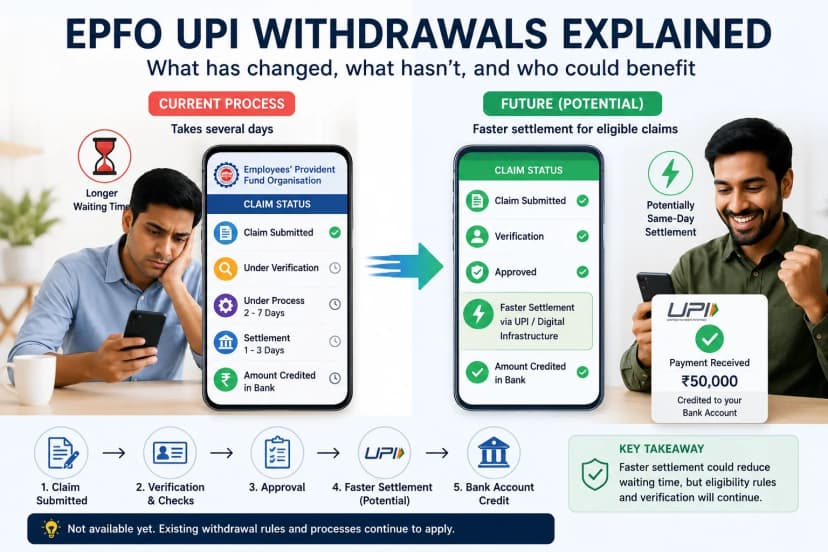
"Checking your balance is about tracking your wealth; withdrawing it is about using it. Once you know your total, read our Step-by-Step EPF Withdrawal Guide to understand the latest 2026 rules for faster claim settlements."
The Kustodian "Withdrawal Readiness" Audit
Visible balance doesn't always mean "accessible" balance. Minor errors in your name, service history, or employer filings can lead to claim rejections later.
- Free EPF Audit: Scan your account for 50+ parameters, including KYC health and service overlaps. Run Your Free EPF Audit Now.
- Expert Claim Support: If your money is stuck in a complex "Transfer Out" loop or a closed establishment, let our experts handle the bureaucracy for you. Schedule an Expert Call.
Missing money from a previous job? If you have worked with multiple employers, your funds might be scattered across different Member IDs. Don't let your savings become dormant learn how to Transfer & Merge Multiple PF Accounts (2025-26) to consolidate your wealth under one UAN."
Frequently Asked Questions (FAQs)
Q1. Can I check my PF balance without a UAN number?
In 2026, you generally need your UAN to use the SMS service. However, for a missed call, the system identifies you by your registered mobile number. If you don't know your UAN, use the "Know Your UAN" feature on the EPFO portal first.
Q2. Is the PF balance check service available 24/7?
Yes, the SMS and Missed Call facilities are automated and available 24/7, including public holidays.
Q3. Why is my PF balance not showing the interest?
Interest is calculated monthly but credited to your account annually. You will typically see the interest update in your passbook once a year after the government announces the annual rate.
"Accessing Indian services from abroad comes with unique OTP and KYC challenges. Our 2026 NRI EPF Roadmap helps you navigate embassy attestations and NRO account linking seamlessly."
Q4. Can NRIs use the SMS or Missed Call service?
These services are tied to Indian mobile networks. If you are an NRI with an active Indian roaming SIM registered with EPFO, it may work, but standard international SMS charges will apply. It is better to use the UMANG app or the EPFO portal via the internet.
Q5. My bank app has a "PF Check" section. Is it safe?
Yes, many major banks in India (like SBI, HDFC, ICICI) now offer integrated views for EPF balances. These apps simply fetch the data via API from EPFO. It is safe as long as you are using the official bank app.
Useful Links & Official Resources
EPFO Official Portals
Employees’ Provident Fund Organisation (EPFO) Official Websitehttps://www.epfindia.gov.in
EPFO Unified Member Portal – Activate UAN, file withdrawal claims, update KYC detailshttps://unifiedportal-mem.epfindia.gov.in/memberinterface/
EPFO Passbook Portal – View PF balance, contributions, and passbook historyhttps://passbook.epfindia.gov.in/MemberPassBook/Login
EPFO UAN Activation & Know Your UAN – Activate your UAN or retrieve it if forgottenhttps://unifiedportal-mem.epfindia.gov.in/memberinterface/no-auth/registration
Mobile App for PF Services
UMANG App (Unified Mobile Application for New-age Governance)Official government mobile app that allows users to check PF balance, view passbook, and access many EPFO services.
Android Downloadhttps://play.google.com/store/apps/details?id=in.gov.umang.negd.g2c
Apple App Storehttps://apps.apple.com/in/app/umang/id1236448857
PF Balance Check Services (Official)
Missed Call PF Balance Service Dial: 9966044425 from your registered mobile number.
SMS PF Balance Service Send SMS to: 7738299899Format: EPFOHO UAN ENG
EPF Forms & Download Links
Form 19 Purpose: Final PF settlement after leaving employmentDownload: https://www.epfindia.gov.in/site_docs/PDFs/Downloads_PDFs/Form19.pdf
Form 31 Purpose: PF advance withdrawal (medical, housing, etc.)Download: https://www.epfindia.gov.in/site_docs/PDFs/Downloads_PDFs/Form31.pdf
Form 10C Purpose: EPS withdrawal benefit or scheme certificateDownload: https://www.epfindia.gov.in/site_docs/PDFs/Downloads_PDFs/Form10C.pdf
Form 10D Purpose: Monthly pension claim under EPSDownload: https://www.epfindia.gov.in/site_docs/PDFs/Downloads_PDFs/Form10D.pdf
Form 15G Purpose: Declaration to avoid TDS on PF withdrawalDownload: https://www.epfindia.gov.in/site_docs/PDFs/Downloads_PDFs/Form15G.pdf
Form 15H Purpose: TDS declaration for senior citizensDownload: https://www.epfindia.gov.in/site_docs/PDFs/Downloads_PDFs/Form15H.pdf
Pension & Retirement Information
Employees’ Pension Scheme (EPS) Informationhttps://www.epfindia.gov.in/site_en/Pension.php
EPF Interest Rate Announcementshttps://www.epfindia.gov.in/site_en/Interest.php
EPFO Support & Grievance Services
If you face issues such as PF balance mismatch, delayed withdrawal, or claim rejection, you can file a complaint through the official grievance portal.
EPFiGMS Grievance Portalhttps://epfigms.gov.in
Conclusion
Checking your PF balance in 2026 is a matter of seconds if your KYC is in order. For most users, the Missed Call service remains the gold standard for speed. However, for a deep dive into your monthly contributions and interest, the UMANG app is your best friend. If you encounter errors, ensure your mobile number is correctly linked, and your employer is up to date with filings.
Disclaimer: This article is for informational purposes only and does not constitute legal or financial advice. Rules may vary based on individual records and EPFO processing.
![Why E-Khata Applications Get Rejected in Bangalore (And How to Fix Them) [2026]](/_next/image?url=https%3A%2F%2Fwebsite-assets-wix.s3.ap-south-1.amazonaws.com%2Fimages%2Fposts%2F3031ceb9f0274289aad5c5f140be716f.webp&w=828&q=75)